7 Immediate Steps to Take When You Get a Website Accessibility Demand Letter



With so much of daily life now happening online, website accessibility has moved from a nice-to-have to a legal requirement, and enforcement has ramped up sharply in the last few years.
If you’ve just received a demand letter alleging your website isn’t accessible to people with disabilities, you’re not alone: 3,117 federal website accessibility lawsuits were filed in 2025 alone, a 27% jump over 2024, and the total tops 5,000 once state-court filings are included.
Demand letters, which never show up in these public counts, likely number even higher.
This guide walks through what’s driving the current wave of website accessibility demand letters, the seven steps to take once you receive one, what non-compliance actually costs, and why waiting for a letter is the riskiest strategy of all.
Who is Sending Website Accessibility Demand Letters, and Why Now?
The Americans with Disabilities Act (ADA), signed into law in 1990, guarantees people with disabilities equal access to goods and services. Courts have consistently extended that guarantee to the digital world, treating a business’s website as an extension of its “place of public accommodation.”
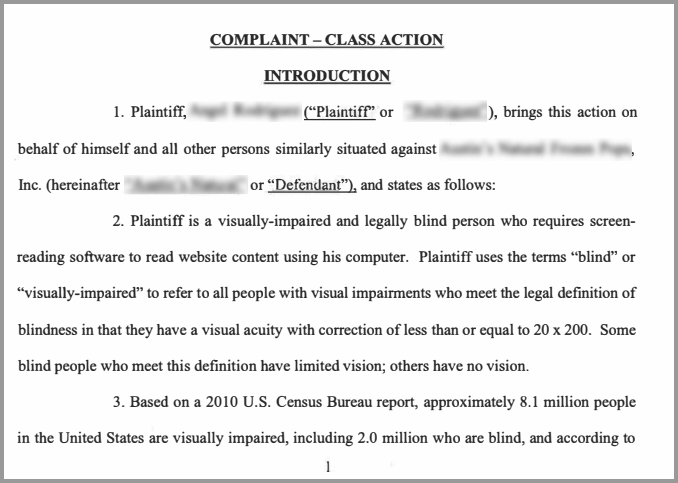
Two forces are driving the current surge in demand letters and lawsuits:
- A small number of highly active plaintiffs and law firms. In 2025, just 33 plaintiffs were behind more than 1,978 lawsuits, which is over half of all filings. A handful of firms filed 600+ cases each.
- AI-assisted filing. Roughly 40% of 2025 federal filings were made pro se (without a lawyer), with plaintiffs increasingly using generative AI to scan sites for violations and draft complaints. That’s dramatically lowered the cost and effort of filing, which helps explain why volume keeps climbing even as courts get more familiar with these cases.
The ADA doesn’t allow individual plaintiffs to collect monetary damages in federal court. What’s legally at stake is equal access, not a payout. But several states (New York, California, Illinois) have their own laws that do allow statutory damages, which is part of why those states dominate filing volume, and why a demand letter should always be taken seriously regardless of the underlying motive.
Steps to Take after You Receive a Demand Letter
1. Take it seriously, but don’t panic
Ignoring a demand letter is the single worst move: unanswered letters routinely turn into lawsuits, which cost far more in legal fees than resolving the underlying issue would have. At the same time, this is a solvable problem with a clear path forward, not a crisis. Read the letter carefully, note the specific pages and barriers it cites, and move to the next step.
2. Loop in a lawyer before you respond
Digital accessibility law is still evolving and varies by state, so professional counsel matters here. An ADA defense attorney experienced in ADA Title III matters can help you evaluate the claims, respond appropriately, and avoid saying anything in writing that could be used against you later. Don’t respond informally or admit fault before getting legal input.
3. Figure out which standards actually apply to you
Courts overwhelmingly point to the Web Content Accessibility Guidelines (WCAG) 2.1 or 2.2, Level AA, as the practical benchmark for ADA compliance, but your specific obligations can depend on your industry, location, and customer base:
- U.S. state and local government sites must meet WCAG 2.1 AA under the DOJ’s Title II rule (Phase 1 deadline now extended to April 2027, Phase 2 to April 2028).
- Healthcare organizations receiving HHS federal funding must conform to WCAG 2.1 AA by May 11, 2026 under Section 504.
- Businesses serving EU customers need to account for the European Accessibility Act, which took effect in June 2025.
Read our guide to WCAG for a fuller breakdown.
4. Get a real audit
Before you can fix anything, you need to know the actual scope of the problem.
Run your site through a proper WCAG audit that checks against 2.1/2.2 AA success criteria; automated scans are a fast starting point, but a mix of automated and manual testing catches issues (like screen-reader logic and keyboard traps) that scanners alone miss.
AccessibilityChecker.org will give you a prioritized list of violations to work from, and pairing that with an expert manual audit covers what automation can’t.
5. Build a prioritized remediation plan, and actually remediate
This is where the old advice to “avoid drastic measures” needs an update.
In 2025, roughly 1 in 5 lawsuits were filed against sites that already had an accessibility widget installed.
While widgets and overlays can be a useful part of a strategy, but they are not a substitute for fixing the underlying code. A defensible plan means:
- Fixing violations at the code level (alt text, form labels, color contrast, keyboard navigation, ARIA roles). SmartFix can automate a large share of this work
- Documenting your remediation efforts and timeline as evidence of good-faith compliance, using something like Compliance Vault
- Publishing (and keeping current) an accessibility statement. LiveStatement updates automatically as your site changes
6. Respond to the letter from a position of progress
Once you and your lawyer have a remediation plan underway, your response to the sender is much stronger if it can point to concrete, documented action rather than vague promises. This is often what moves a matter toward resolution without escalating to litigation.
7. Treat compliance as ongoing, not a one-time fix
Every new page, image, video, or feature you add can introduce new accessibility issues.
Nearly half of 2025’s lawsuits were filed against companies that had already been sued before, which is a strong signal that a one-time fix isn’t enough. Continuous monitoring through the Dashboard helps you catch new issues as they’re introduced, rather than finding out from the next demand letter.
The Current Regulatory Landscape
The rules businesses need to track have expanded meaningfully in the past couple of years:
- WCAG 2.2 AA: This is now considered best practice, even though many older rulings still reference 2.1 AA.
- DOJ Title II final rule: Title III requires state and local government entities to meet WCAG 2.1 AA. The compliance deadline was pushed back in April 2026 to April 2027 (large entities) and April 2028 (smaller entities), but the obligation itself hasn’t gone away.
- HHS Section 504 rule: Healthcare entities receiving federal funding must meet WCAG 2.1 AA by May 11, 2026.
- European Accessibility Act (EAA): The EAA has been in effect since June 2025 for digital products and services sold in the EU.
None of these directly rewrites the private-sector ADA Title III framework that governs most demand letters, but they reinforce WCAG as the standard courts and regulators keep coming back to.
The Cost of Non-Compliance
Federal ADA lawsuits don’t carry statutory monetary penalties, but that doesn’t mean non-compliance is free.
Factoring in legal fees, staff time, settlement costs, and remediation, a typical case runs an estimated $45,000–$75,000 all-in — compared to an estimated $3,500–$10,000 a year for proactive, continuous compliance monitoring.
States with their own accessibility statutes raise the stakes further: California’s Unruh Civil Rights Act, for example, allows for statutory damages of at least $4,000 per violation.
Why You Shouldn’t Wait Until You Get a Website Accessibility Demand Letter
Plenty of businesses only address accessibility after a letter arrives. Getting ahead of it instead has real upside:
- Stronger brand reputation
- Access to a larger customer base
- Better overall usability for every visitor, not just those using assistive technology
- SEO benefits, since many accessibility best practices (alt text, semantic structure, clear navigation) also help search engines understand your site
If you haven’t had a proper audit yet, start with a free AccessibilityChecker.org scan to see where your site currently stands.
Frequently Asked Questions
What does it mean for a website to be ADA compliant?
It means the site meets the accessibility standards courts and regulators point to under the ADA, so that people with disabilities can perceive, navigate, and interact with it as effectively as anyone else.
What qualifies as an ADA disability?
A physical or mental impairment that substantially limits one or more major life activities. Examples include blindness or low vision, deafness or hearing loss, mobility impairments, epilepsy, intellectual disabilities, autism, cerebral palsy, and mental health conditions such as OCD.
Do I have to respond to a demand letter?
You're not legally obligated to respond, but ignoring it is the highest-risk option, as unanswered letters frequently escalate into lawsuits. Loop in a lawyer and respond thoughtfully rather than not at all.
Can I still get sued if I already have an accessibility widget or overlay installed?
Yes. In 2025, roughly 22% of ADA website lawsuits were filed against sites that already had a widget installed. Overlays can help with some issues but don't replace code-level remediation.
What's the difference between a demand letter and a lawsuit?
A demand letter is a pre-litigation notice, typically from an individual or their attorney, alleging accessibility barriers and requesting corrective action, often paired with a settlement request.
It's a private communication, not a public filing. If it's ignored or the parties can't reach a resolution, the sender may escalate to filing an actual lawsuit in state or federal court, which becomes part of the public record.
5 comments


jasa pembuatan website murah Pretty good post. I have really enjoyed browsing your blog posts. Whatever the case I’ll be subscribing to your feed and i also hope you write again soon! Thanks a lot, I’ll try to come back often. Merry Chrismas!
Pretty good post. I have really enjoyed browsing your blog posts. Whatever the case I’ll be subscribing to your feed and i also hope you write again soon! Thanks a lot, I’ll try to come back often. Merry Chrismas!