Browser Accessibility Testing — ACE™ Extension
Test interactive elements, single-page applications, and dynamic content directly in your browser. ACE Extension brings the full power of the ACE Engine to your browser, so you can catch accessibility issues that server-side scanners miss.

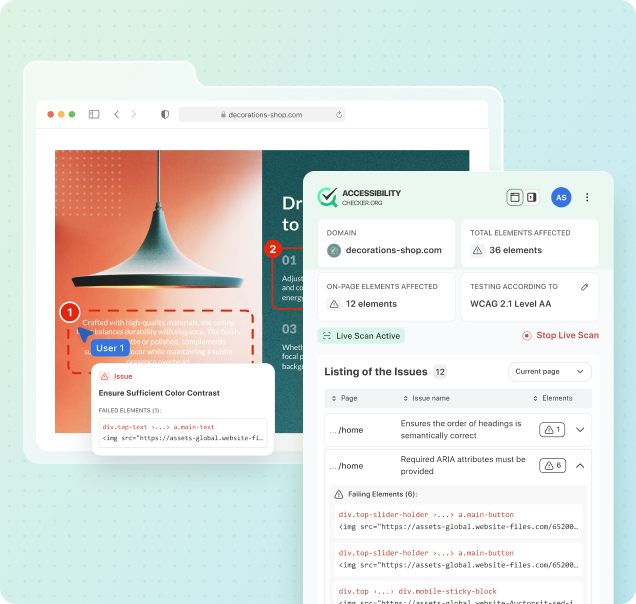




























What Is ACE Extension?
ACE Extension is a browser-based accessibility testing tool developed by AccessibilityChecker.org. Installed directly into chrome, it runs the same powerful ACE™ Engine that powers ACE Scanner, but operates in real-time within your browser as you interact with any website. This means you can test interactive elements that static scanners cannot reach: modals, dropdowns, tooltips, dynamic forms, single-page application state changes, keyboard navigation, and focus management.
While ACE Scanner excels at crawling entire sites and detecting patterns across hundreds of pages, ACE Extension fills a critical gap: it tests the behavior of interactive components, the keyboard experience, ARIA implementation in live widgets, and dynamic content loading. Together, Scanner and Extension by AccessibilityChecker.org provide comprehensive coverage—Scanner catches structural issues, Extension catches interactive and behavioral issues.
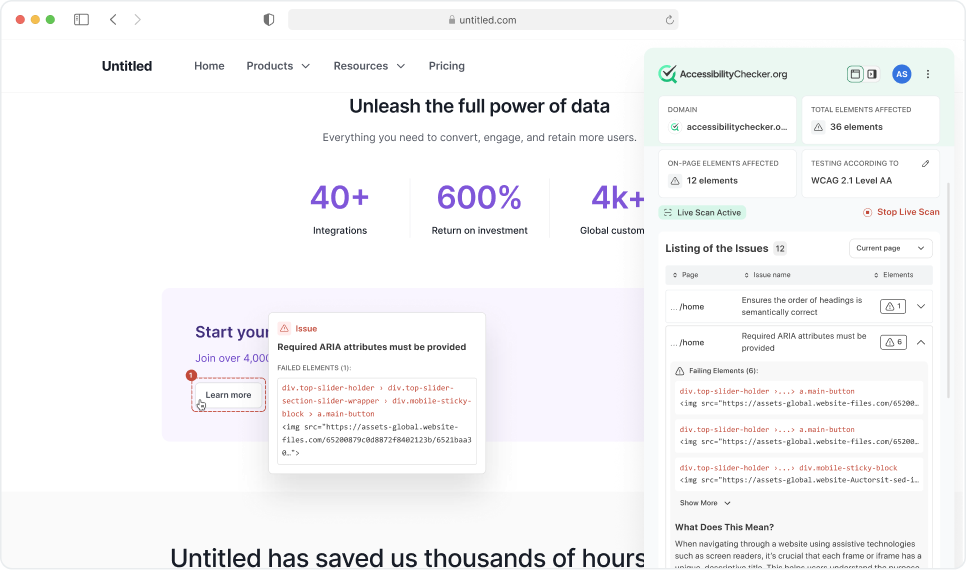
Why Browser-Based Testing?
Automated server-side scanners like ACE Scanner are incredibly efficient at crawling static HTML and detecting structural issues at scale. But they have a fundamental limitation: they only see the initial page state. If a button appears when you click another button, if a dropdown opens on hover, if a form field becomes required after selecting an option, if a modal's focus trap only activates after it's rendered, a static scanner will miss these interactions entirely. This is where ACE Extension by AccessibilityChecker.org makes the difference.
Developers and QA engineers need to know: Does the keyboard work? Can I reach all interactive elements with Tab? Does focus move sensibly? Are live regions announcing content? Are custom widgets properly labeled and navigable? These questions can only be answered by testing the page as users experience it, through a real browser, in a real session, with real interactions. ACE Extension enables this workflow directly in Chrome, without switching tools or breaking your flow. Many accessibility issues found during manual testing are issues that automation cannot detect until they are triggered by user interaction. ACE Extension brings a testing layer to your Chrome workflow that bridges this gap, letting developers catch and fix interactive accessibility issues before they reach production.
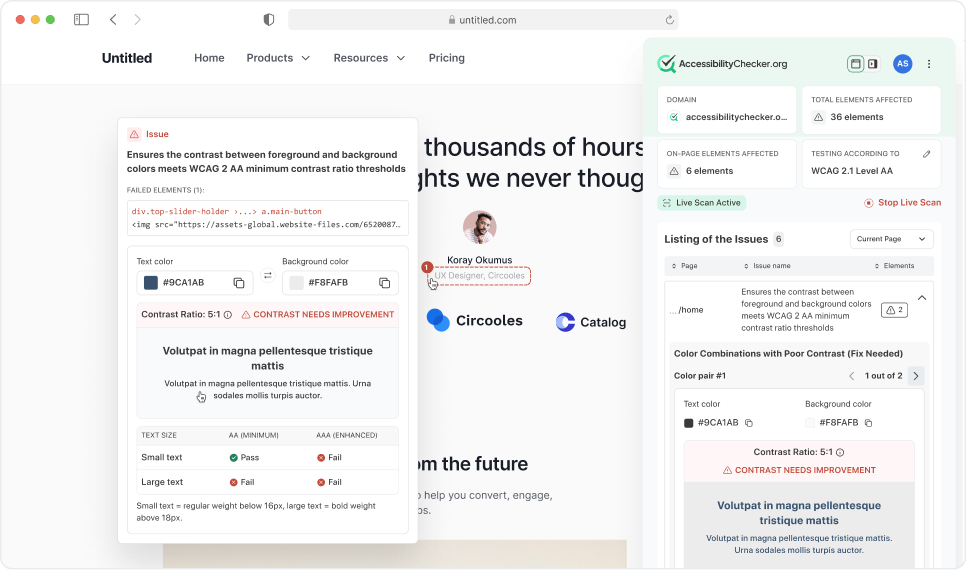
What Can ACE Extension Test?
ACE Extension is designed to test aspects of accessibility that require a real browser session and user interaction. Here's what you can audit in real-time with AccessibilityChecker.org's browser-based testing approach:
Key Features of ACE Extension
ACE Extension by AccessibilityChecker.org combines real-time testing with the power of the ACE Engine. These features are built specifically for developers and QA teams who need to test accessibility throughout the development cycle:
ACE Scanner vs. ACE Extension
Both ACE Scanner and ACE Extension by AccessibilityChecker.org are powered by the same proprietary ACE Engine, but they serve different testing needs. Understanding the difference helps you use them effectively as complementary tools in your accessibility workflow.
| Feature | ACE Scanner | ACE Extension |
|---|---|---|
| Testing Scope | Crawls entire domains, hundreds of pages in one scan | Tests individual pages in real-time as you browse |
| Interactive Elements | Limited to initial page state | Full testing of modals, dropdowns, dynamic content |
| Speed | Bulk scanning, good for large sites | Instant real-time feedback per page |
| Results & Patterns | Pattern detection across pages, component grouping | Per-page issue details, code-level guidance |
| Best For | Finding site-wide issues, compliance audits, monitoring | Development, QA, interactive testing, debugging |
| Dashboard Integration | Yes, full scan history and trending | Yes, results sync to ACE Dashboard |
How ACE Extension Results Sync to ACE Dashboard
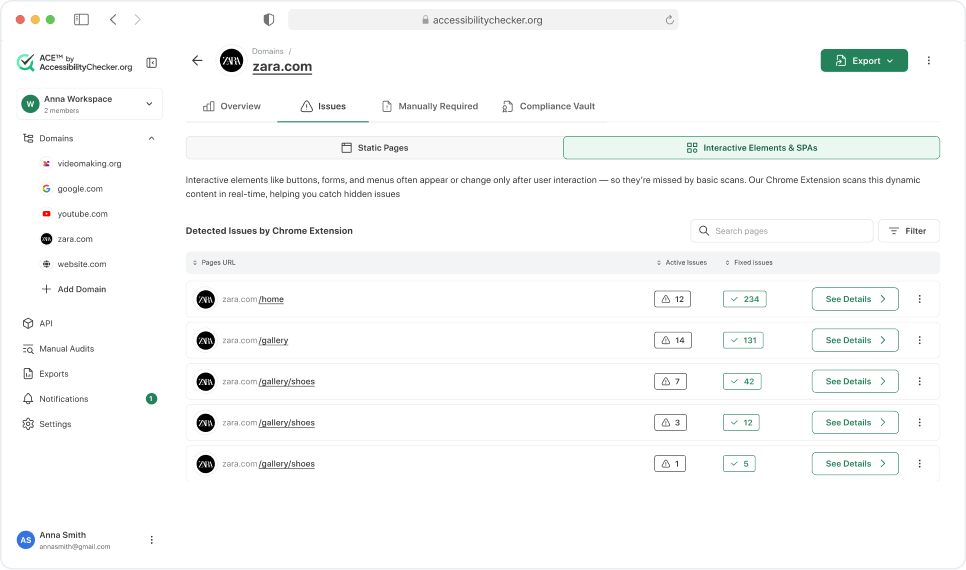
Every accessibility issue you find with ACE Extension is automatically logged to your ACE Dashboard. This creates a unified record of issues found through both automated scanning and interactive browser testing, giving your entire team a consistent view of accessibility status.
Logged issues are checked against existing scanner findings first. Only issues that were not already detected by ACE Scanner are added to the dashboard, avoiding duplicates. Each logged issue includes the URL where it was found, the specific element affected, the ACE Rule ID, and any notes you add.
Because interactive issues require user-triggered actions to surface, ACE Scanner cannot automatically determine whether they have been resolved the way it can with structural issues. For this reason, issues logged from ACE Extension must be manually marked as resolved in the dashboard once your team has addressed them.
Who Uses ACE Extension?
ACE Extension by AccessibilityChecker.org is designed for teams that want accessibility testing integrated into their development workflow. Front-end developers use it to catch issues before they create pull requests. QA engineers use it to verify that fixes actually work in the browser. Accessibility consultants use it to audit interactive features and provide evidence of conformance. Teams building with React, Angular, Vue, or Svelte use it to test single-page application behavior and state management.
If you're building interactive web applications and you care about accessibility, ACE Extension is for you. It's free to install, runs entirely in your browser, and requires no changes to your codebase. Start testing your interactive elements today.
The Complete ACE Platform
ACE Extension is one part of the larger ACE Platform by AccessibilityChecker.org. Every product shares the same ACE Engine, the same rules, and the same impact classification, so your testing is consistent across all tools.
Frequently Asked Questions
Catch interactive accessibility issues before they reach production