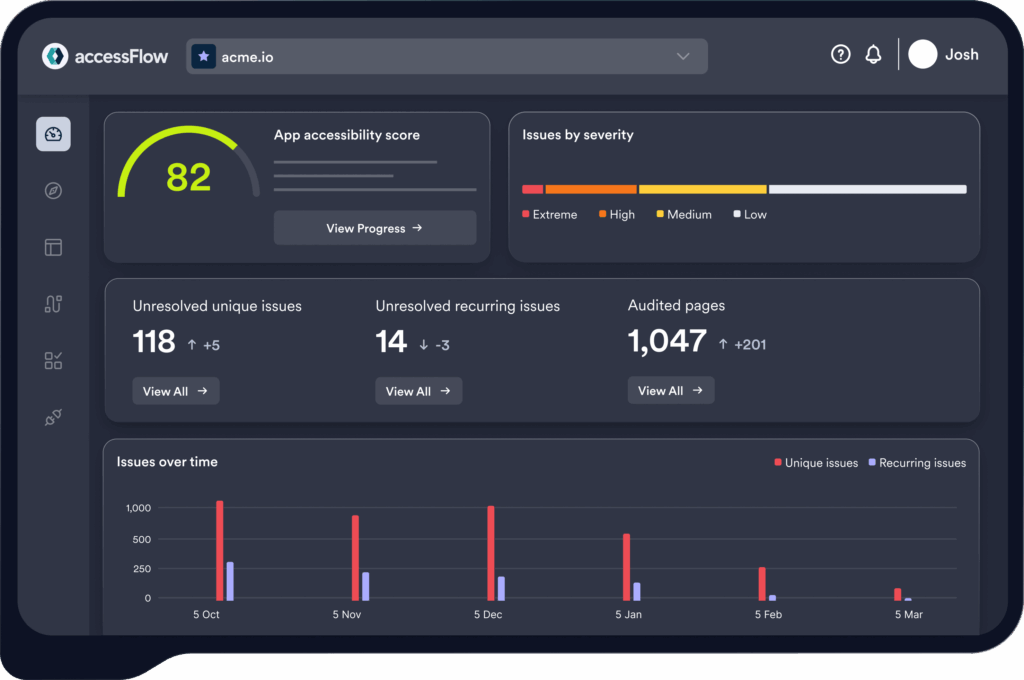

Accessibility testing tools range from free single-page checkers to enterprise platforms that monitor an entire site and manage remediation for you.
With so many options available, we decided to evaluate 12 of the best accessibility testing tools so you can match the right option to your budget, your team, and how much of the work you want automated versus done by hand.
The Short Answer
The best accessibility testing tool to use in 2026 depends on whether you need a free spot-check, a developer-pipeline integration, or an enterprise compliance program.
- For a quick, no-cost sanity check, WAVE and Google Lighthouse are the standard starting points.
- Developers looking to wire automated tests into CI/CD should consider axe DevTools and the open-source Pa11y.
- If you need guided manual testing without a budget, Microsoft’s free Accessibility Insights is hard to beat.
- Businesses that would prefer ongoing, domain-wide monitoring with AI-assisted fixes and audit-ready evidence would benefit most from platforms like AccessibilityChecker.org, Siteimprove, or AudioEye.
Top Accessibility Testing Tools: A Quick Comparison
| Tool | Type | Best For | Starting Price | Free Option? |
|---|---|---|---|---|
| AccessibilityChecker.org | SaaS platform | Ongoing domain monitoring, AI-assisted fixes + reporting | $89/domain/pm | 7-day trial |
| axe DevTools | Browser extension + CI/CD | Developers, low false positives | Free / ~$60/user/pm | 14-day trial |
| BrowserStack Accessibility | Unified SaaS platform + real device cloud | Web & mobile accessibility, automated scans + real-device screen readers | Free / Custom pricing | Yes (Free tier) |
| WAVE | Browser extension / online tool | Quick visual single-page checks | Free (API/Pope Tech paid) | Yes |
| Google Lighthouse | Built into Chrome DevTools | Quick dev-side audits alongside perf/SEO | Free | Yes |
| Pa11y | CLI / open source | CI/CD pipelines, technical teams | Free | Yes (fully) |
| Accessibility Insights | Browser extension / desktop app | Guided manual testing, FastPass checks | Free | Yes (fully) |
| Siteimprove | Enterprise SaaS platform | Large orgs needing governance + QA + SEO | Custom quote | Demo only |
| AudioEye | SaaS + managed remediation | Hands-off automated + human remediation | ~$49+/pm | 14-day trial |
| Stark | Design-tool plugin (Figma, etc.) | Designers, catching issues pre-code | Free / ~$10+/pm | 14-day trial |
| ARC Toolkit (TPGi) | Browser extension | Manual testers, detailed rule explanations | Free | Yes |
| accessiBe | AI-powered widget + dev platform | Fast deployment without dev resources | ~$59+/mo | 7-day trial |
Pricing changes frequently and most enterprise tools require a custom quote, so treat the figures above as a starting point for budgeting conversations, not a final number.
12 Best Accessibility Testing Tools: A Detailed Comparison
1. AccessibilityChecker.org
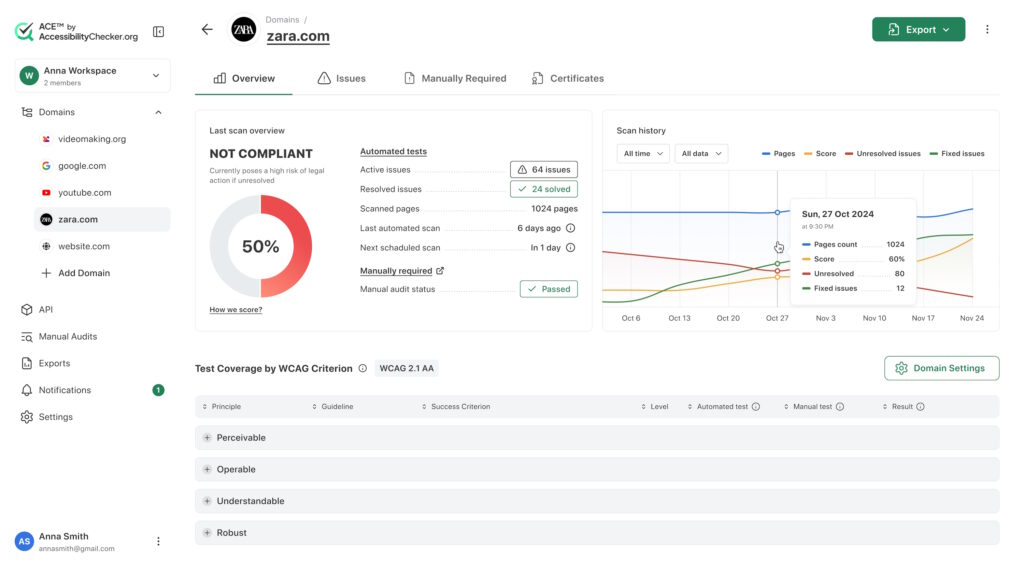
What it’s best at: AccessibilityChecker.org is built around continuous, domain-wide monitoring rather than one-off page checks. It crawls a site, lets you choose which URLs to include, rescans weekly (or on demand), and tracks an “Accessibility Score” over time.
Its standout feature is SmartFix, it’s AI-assisted remediation feature. For supported issue types (like missing alt text or unclear button labels), it suggests a WCAG-aligned fix that a human reviews and approves before anything ships.
It also has LiveStatement, which auto-generates an accessibility statement based on live scan data, Compliance Vault for exportable audit evidence for legal and compliance documentation, and Chrome Extension, which can be used to test interactive elements and single-page apps.
Limits: Like every automated scanner, AccessibilityChecker.org can’t fully replace manual testing. Color contrast and several other WCAG checks still require human judgment, and the platform is upfront about flagging those separately rather than claiming to auto-fix them.
It’s also priced per domain with URL caps per tier, so very large sites or accounts with many properties need the custom “Tailored” plan rather than a flat self-serve rate.
Pricing: Lite starts at $89/domain/month for up to 25 URLs; Starter is $149/month for up to 100 URLs; Growth is $299/month for up to 500 URLs. Multi-domain or high-volume sites can request a custom quote.
A separate Managed Accessibility tier, starting around $359/month, adds human developers who remediate code directly and a manual expert audit. A 7-day free trial is available.
Who should pick it: Teams that want one platform covering ongoing monitoring, AI-assisted fixes, audit documentation, and an auto-updating accessibility statement, without needing to stitch together a scanner, a separate reporting tool, and a documentation process.
It suits site owners and agencies managing one to a few hundred pages who want less manual overhead than a pure dev-tool, and more documentation than a free single-page checker provides.
2. axe DevTools (Deque)
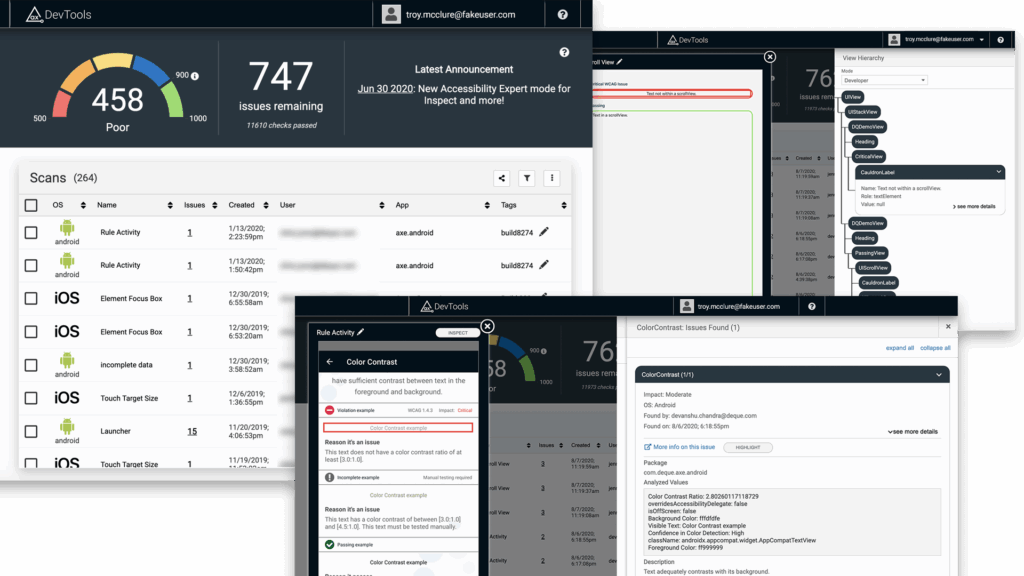
What it’s best at: axe DevTools is built on axe-core, the open-source rules engine that also powers Lighthouse’s accessibility audit and Microsoft’s Accessibility Insights.
It integrates with tools like Cypress, Selenium, Jenkins, and GitHub Actions, and has a mobile app for Android. The free browser extension gives page-by-page automated testing, while the Pro version adds AI-enhanced features, intelligent guided testing, component-level checks, and the ability to test entire user flows. Developers consistently cite its low false-positive rate as its biggest advantage.
Limits: The free extension only tests one page at a time and doesn’t include the AI-guided or flow-testing features. Pro and the enterprise “Axe DevTools for Web” bundle require per-seat licensing that adds up fast for larger teams, and full organization-wide monitoring/reporting (axe Monitor, axe Auditor) is a separate, pricier product line from the same vendor.
Pricing: The Pro browser extension lists at $60/user/month after a 14-day free trial. Enterprise teams with 5–20 developer seats commonly negotiate $1,200–$2,500 per seat annually, and comprehensive monitoring deployments with professional services often land between $75,000 and $250,000+ annually.
Who should pick it: Development teams that want accessibility testing embedded directly in their CI/CD pipeline and IDE, with minimal false positives slowing down code review. It’s the most natural fit for engineering-led accessibility programs rather than marketing- or compliance-led ones.
3. BrowserStack Accessibility
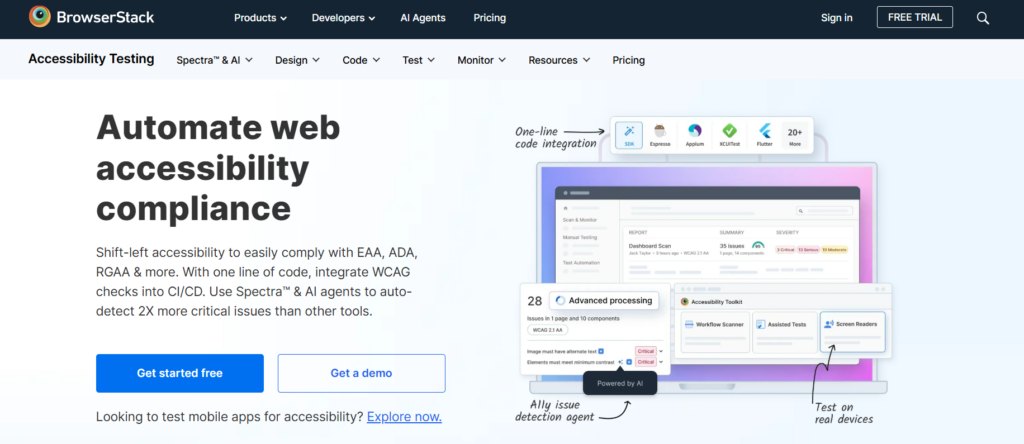
What it’s best at: BrowserStack Accessibility is a unified testing platform that combines automated scanning, guided manual tests, and native screen reader support for web and mobile apps.
Operating across 30,000+ real devices and browsers, it gives teams instant, zero-setup access to VoiceOver, TalkBack, and NVDA without maintaining physical hardware labs. It also features smart issue grouping to deduplicate errors, CI/CD pipeline integrations, and actionable remediation reports with DOM snippets to streamline debugging.
Limits: Advanced capabilities such as real-device screen reader testing, smart issue grouping, and comprehensive CI/CD pipeline integrations are reserved for the higher Pro and Enterprise custom tiers. The free tier is limited to core accessibility testing basics and basic reporting.
Pricing: A Free tier ($0) is available for core accessibility testing basics with limited automated scanning. Pro and Enterprise tiers utilize custom pricing tailored to organization size and feature requirements.
Who should pick it: Development, QA, and compliance teams looking for a centralized, shift-left accessibility solution that covers both web and mobile applications, integrates directly into existing developer workflows, and provides native screen reader testing on real devices without hardware overhead.
4. WAVE (WebAIM)
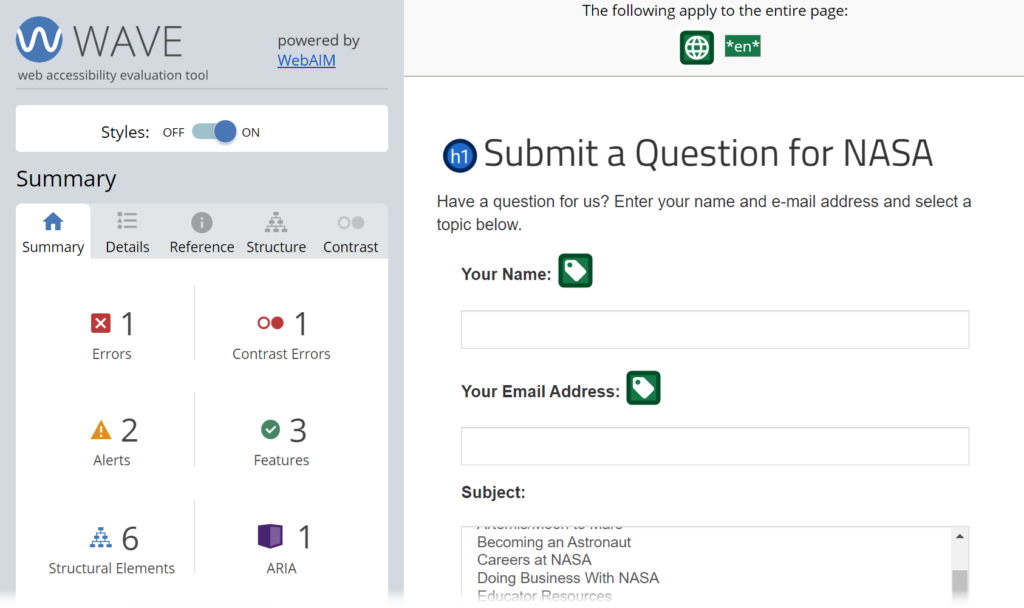
What it’s best at: WAVE has been one of the most trusted free accessibility testing tools online since 2001, and was built by WebAIM, a non-profit based at Utah State University.
Instead of an abstract code report, it overlays icons directly on a live page, which makes it unusually approachable for non-specialists. A designer or content editor can see exactly where an issue sits on the page they’re already looking at. And because the browser extension runs entirely client-side, no page data is sent to WebAIM’s servers, so it’s safe to use on password-protected, staging, or intranet pages.
Limits: WAVE checks one page at a time with no built-in site-wide crawling or historical tracking in the free extension. For that, you need the paid Pope Tech platform or the AIM report.
Passing WAVE with zero errors does not guarantee ADA or WCAG compliance, though, since it can’t evaluate things like whether alt text is actually descriptive or captions are accurate.
Pricing: The browser extension is free and doesn’t require an account. The one-time AIM site report costs $500 for up to 20,000 pages, and API credits are roughly $0.04 each with a 250-credit minimum. Site-wide monitoring via Pope Tech is priced separately.
Who should pick it: Anyone who wants a fast, free, visual first check, especially designers, content teams, or developers early in their accessibility learning curve who would benefit from seeing exactly where an issue lives on a page.
5. Google Lighthouse
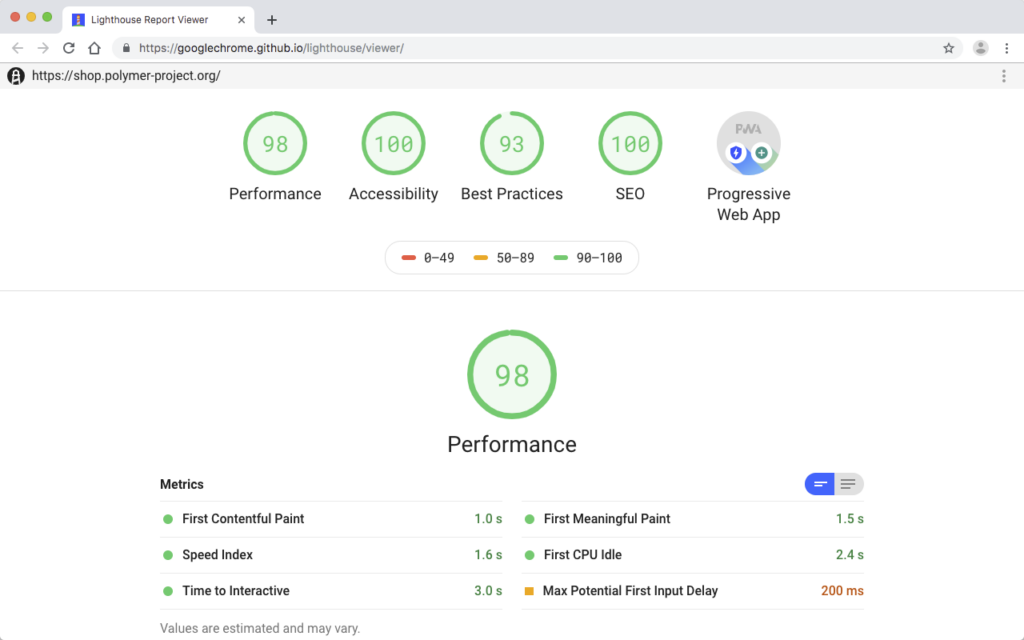
What it’s best at: Lighthouse is Google’s open-source auditing tool built into Chrome DevTools, scoring accessibility alongside performance, SEO, and best practices.
It’s scriptable via Lighthouse CI and forms the backbone of many automated testing pipelines precisely because it’s already sitting inside the browser most developers use daily.
Limits: Lighthouse’s accessibility audit covers a smaller rule set than dedicated tools like axe DevTools or WAVE, and it doesn’t crawl a whole site. It’s a single-page, single-run tool by default. Its WCAG coverage is generally described as partial relative to dedicated accessibility scanners, so it works best as a quick early-warning signal rather than a compliance record.
Pricing: Free, with no paid tier. This is an open-source project, not a commercial product.
Who should pick it: Developers who already run performance and SEO audits and want an accessibility score in the same report, without adding another tool to the stack. It’s best paired with something more thorough for anything beyond a quick gut-check.
6. Pa11y
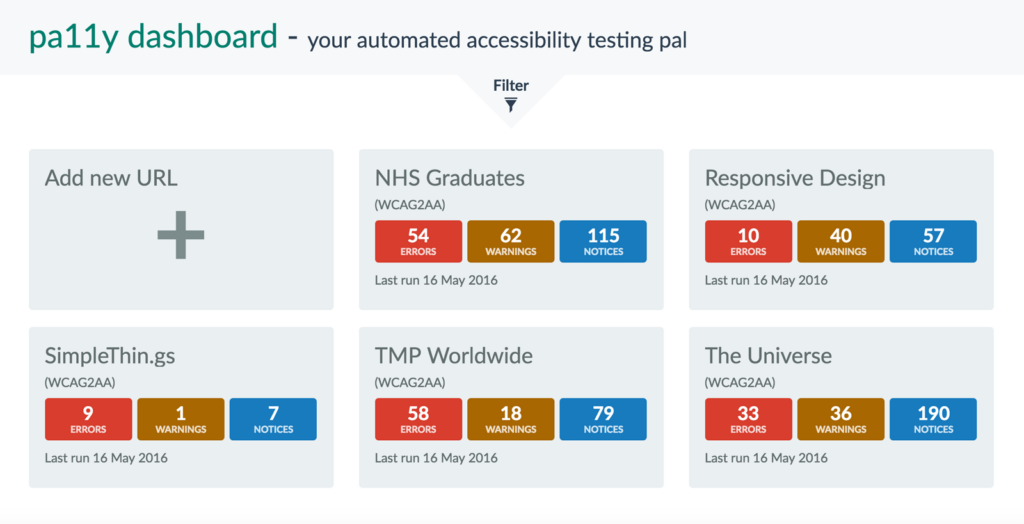
What it’s best at: Pa11y is an open-source command-line tool for automated accessibility testing. It scans for WCAG violations using engines like HTML CodeSniffer and axe-core, and supports testing against live URLs, local files, or sitemaps.
It has strong CI/CD integration via Pa11y CI and a self-hosted dashboard for tracking results, making it a favorite for teams that want full control over their testing infrastructure without a subscription.
Limits: Pa11y is configuration-heavy and can get complicated if you want to build custom audit specifications since there’s no GUI, no managed hosting, and no built-in remediation guidance for non-technical stakeholders. It requires some technical effort to set up and keep running, and there’s no vendor support line if something breaks.
Pricing: Free and fully open source, with no paid tier.
Who should pick it: Engineering teams comfortable maintaining their own tooling who want zero licensing costs and full control over how accessibility checks run in their build process. It’s less suited to teams without dedicated developer time to own the setup.
7. Accessibility Insights (Microsoft)
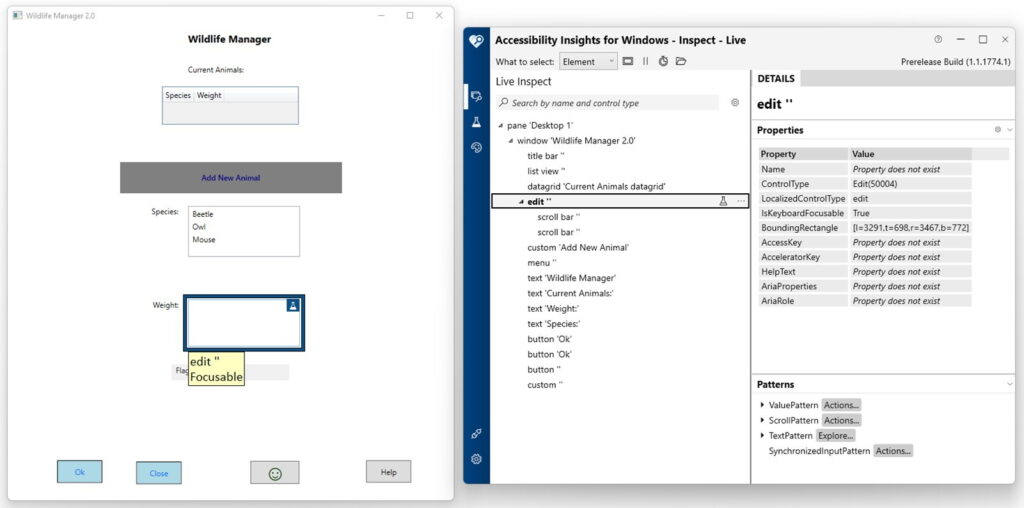
What it’s best at: Accessibility Insights is built on Deque’s open-source axe technology and is offered as a free tool to help developers find and fix common accessibility issues early in the dev cycle.
Its FastPass feature identifies common, high-impact issues in under five minutes, and its Assessment mode walks through roughly 50 accessibility requirements with detailed instructions and examples. It’s one of the few free tools genuinely designed to teach manual testing, not just run automated checks.
It also has a dedicated Windows desktop app for testing native Windows applications, which most web-focused tools don’t cover.
Limits: Like other automated tools, it relies on checks that cannot detect all accessibility issues, and there’s no paid tier with added support, hosting, or site-wide monitoring if a team eventually outgrows the free version. It’s also primarily a point-in-time testing tool rather than a continuous monitoring platform.
Pricing: Completely free and open source, with no pricing plans at all.
Who should pick it: Teams, especially those without an accessibility specialist on staff, that want a guided, step-by-step way to learn manual testing alongside automated checks, at zero cost. It’s particularly strong for teams also building native Windows applications.
8. Siteimprove
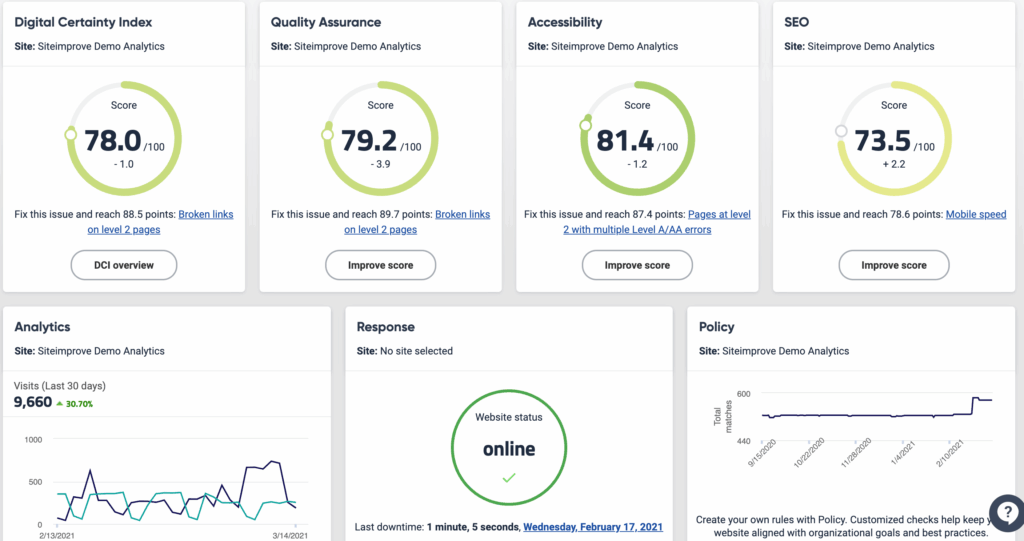
What it’s best at: Siteimprove is an advanced digital governance platform that combines accessibility, SEO, quality assurance, and analytics in one solution. It helps organizations prioritize fixes based on business impact and suits global teams managing multiple web properties with governance workflows and role-based dashboards.
It recently added an AI Assistant that explains issues in plain language and suggests fixes as well as an Accessibility Code Checker for shift-left testing in CI/CD. It also offers compliance reporting for EAA, ADA, and Section 508.
Limits: Its enterprise pricing puts it out of reach for small teams, and the platform can be complex to set up, with some users reporting a learning curve on the interface. Mid-sized organizations have reported paying around $30,000/year for the platform, which is a different budget tier than most of the tools on this list.
Pricing: Siteimprove doesn’t publish self-serve rates and quotes scale with the number of pages and modules (accessibility, SEO, QA) included.
Who should pick it: Large, multi-site organizations that need a single governance platform spanning accessibility, content quality, and SEO across many properties and teams, and have the budget for an enterprise contract.
9. AudioEye
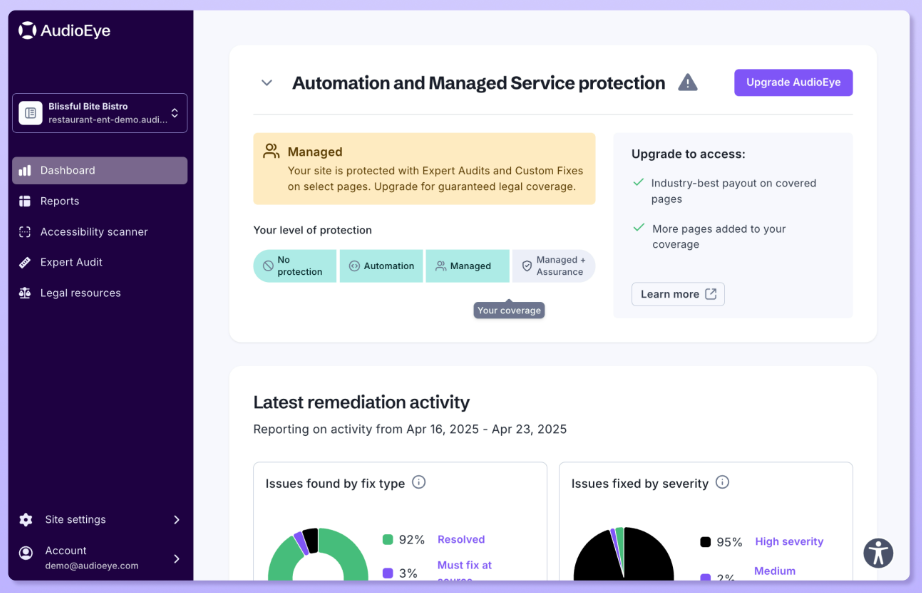
What it’s best at: AudioEye combines automated scanning with human expert review. The platform automatically fixes some common issues, like adding missing alt text with AI, while flagging complex problems for its team of certified accessibility specialists to handle manually.
Most plans include managed remediation services bundled in, which differentiates it from pure-scanner tools that leave all remediation work to the customer’s own team.
Limits: Enterprise-level pricing makes it less accessible for small businesses, and automated fixes don’t resolve everything. Manual oversight is still required.
Pricing is based on website traffic rather than page count, which can make costs less predictable for high-traffic sites compared to flat per-domain pricing.
Pricing: Plans start around $49/month based on monthly page views, scaling up to a custom Enterprise quote for sites with higher traffic or more complex remediation needs.
Who should pick it: Organizations that want remediation work handled by a vendor’s team rather than their own developers, and that have traffic patterns that make traffic-based pricing predictable for their budget.
10. Stark
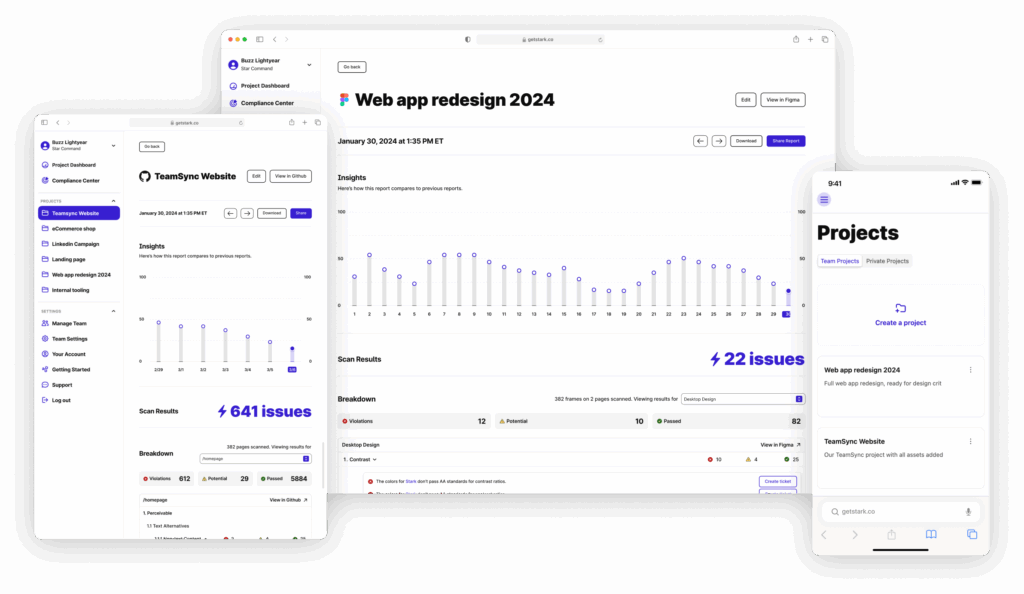
What it’s best at: Stark plugs directly into design tools like Figma, Sketch, and Adobe XD, letting designers check color contrast, simulate color blindness, and catch accessibility problems before a single line of code is written.
It’s the only tool on this list aimed squarely at the design stage rather than the built product, which makes it valuable for catching issues when they’re cheapest to fix.
Limits: Stark only evaluates what’s in the design file. It can’t catch issues that only appear once a design is implemented in actual HTML/CSS/JS, like keyboard trap bugs or dynamic ARIA states. It needs to be paired with a code- or browser-level tool later in the process.
Pricing: Free tier available, with paid plans starting around $10+/month for teams and additional features.
Who should pick it: Design teams that want to build accessibility into mockups and component libraries before handing them off to engineering.
11. ARC Toolkit (TPGi)
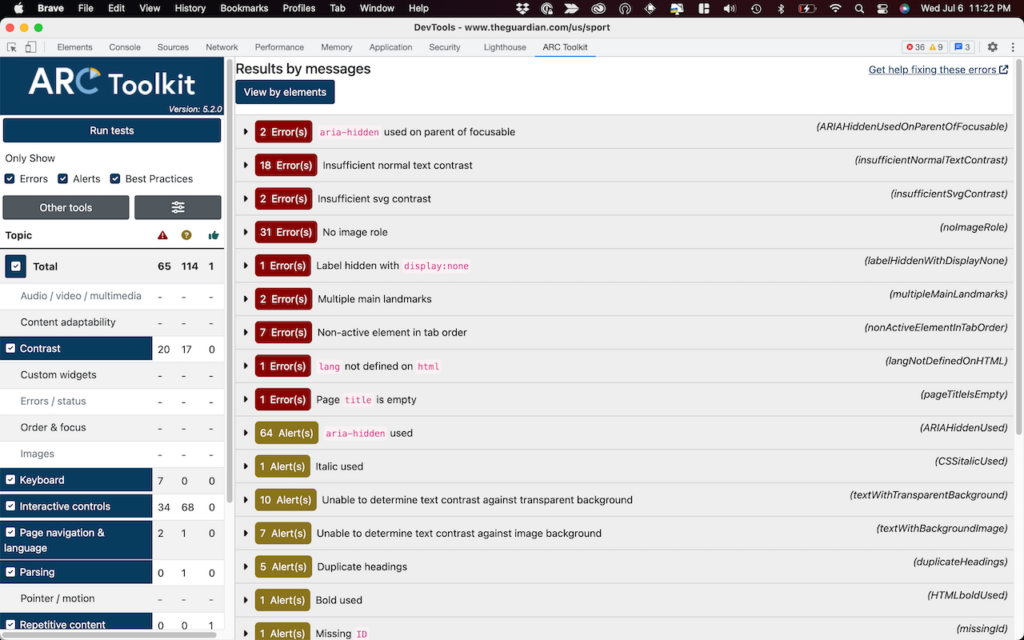
What it’s best at: ARC Toolkit is a browser extension from TPGi (The Paciello Group), a longtime accessibility consultancy, and it’s particularly well-regarded for the depth of its rule explanations.
Each flagged issue links to detailed guidance on why it matters and how the underlying WCAG criterion works, which makes it useful for manual testers building their own expertise rather than just running automated scans.
Limits: It’s a single-page browser tool with no site-wide crawling, scheduling, or historical reporting built in. For ongoing monitoring across many pages, it needs to be paired with TPGi’s separate enterprise ARC Platform or another monitoring tool.
Pricing: Free.
Who should pick it: Manual testers and accessibility specialists who want a free tool with unusually thorough explanations of each issue, which is useful both for fixing problems and for training less experienced team members.