AccessibilityChecker.org vs WAVE: Which Accessibility Checker Is Right for Your Site?


Disclosure: AccessibilityChecker.org is one of the tools in this comparison. We’ve evaluated it with the same rigor and honesty as WAVE.
Website accessibility testing tools range from simple, free checkers to full compliance platforms, and the right choice depends on what you actually need to do once you find a problem.
AccessibilityChecker.org and WAVE by WebAIM are two of the most recognized names in the space, but they were built for pretty different purposes.
This article compares both tools so you can decide which one fits your workflow.
AccessibilityChecker.org vs WAVE: A Quick Comparison
| AccessibilityChecker.org | WAVE by WebAIM | |
|---|---|---|
| Best for | Ongoing, site-wide compliance management | Quick, single-page checks and learning |
| Standards covered | WCAG 2.2, ADA, Section 508, EAA, EN 301 549 | WCAG 2.x |
| Full-site scanning | Yes, crawls entire domains, subdomains, and staging sites | Limited. Free tool checks one page at a time; site-wide needs the paid API or AIM report |
| Continuous monitoring | Yes, scheduled rescans and alerts included | No. Point-in-time checks only |
| Issue prioritization | Impact Classification: Legal Risk, User Impact, Best Practice | Errors, alerts, and features flagged visually on the page |
| Cross-page pattern detection | Yes, groups repeat issues by shared component | No |
| AI-assisted remediation | Yes, SmartFix suggestions, reviewed before applying | No |
| Reporting | PDF, Excel, and white-labeled reports by AccessibilityChecker.org Impact and WCAG principle | On-page visual report; downloadable spreadsheet with AIM report |
| Pricing | From $69/domain/month (Lite plan), 7-day free trial | Free for single pages; API from $0.025-$0.04/credit; AIM report from $500 one-time |
AccessibilityChecker.org vs WAVE: The Basics
AccessibilityChecker.org is an accessibility testing platform and is designed for teams that need to go beyond a one-time check.
It tests against WCAG 2.2, ADA, Section 508, the EAA, and EN 301 549, and it’s built around the proprietary Testing Engine. Every issue is assigned an Rule ID and sorts it into an Impact Classification (Legal Risk, User Impact, or Best Practice) so teams know what to fix first.
WAVE (Web Accessibility Evaluation Tool) is a free evaluation tool created by WebAIM, a unit of Utah State University.
It’s one of the oldest and most widely used accessibility checkers on the web, known for its visual “on-page” style report that overlays icons directly onto the page you’re testing. WAVE is aimed primarily at helping developers and content creators learn about and spot accessibility issues, rather than managing compliance across an organization over time.
AccessibilityChecker.org at a glance
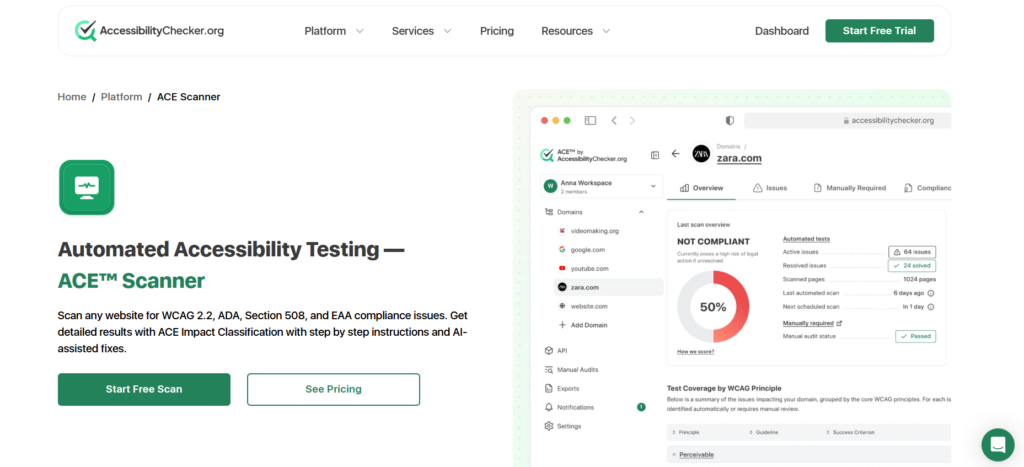
- WCAG 2.2, ADA, Section 508, EAA, and EN 301 549 coverage
- Proprietary Impact Classification (Legal Risk, User Impact, Best Practice)
- Cross-page pattern detection across an entire domain
- Continuous monitoring with scheduled rescans and alerts
- AI-assisted remediation guidance and fixes
- Built for teams: role-based permissions, multi-domain dashboards, white-labeled reporting
WAVE at a glance
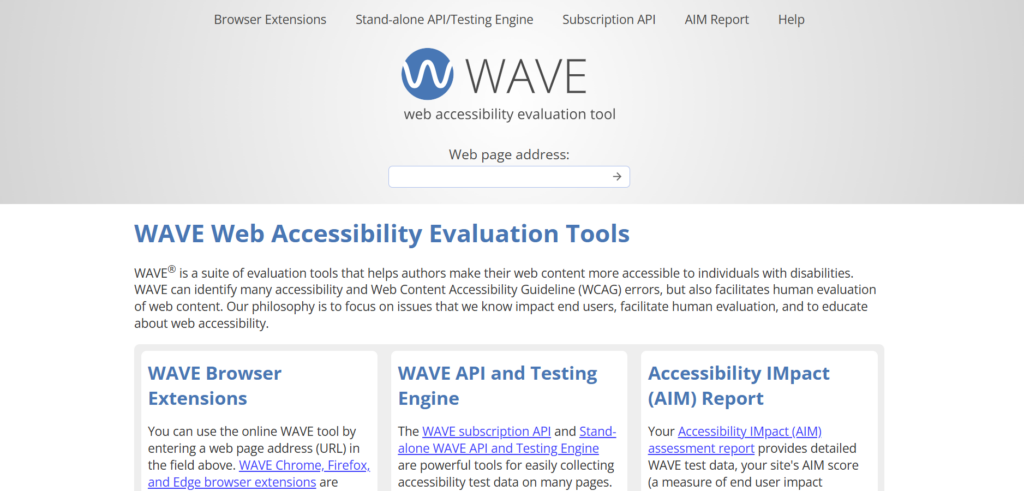
- Free browser extension and web-based checker for individual pages
- Visual, icon-based report overlaid directly on the page
- Stand-alone API/testing engine for larger, in-house integrations
- Subscription API priced per credit for automated bulk testing
- AIM report option that combines automated WAVE data with expert manual testing
- Tests an entire domain, not just one page at a time
- Groups repeat issues by component, so fixing one template can resolve issues across dozens of pages
- Prioritizes issues by real-world impact, not just WCAG level
- Ongoing monitoring, not just a single snapshot
- Works with any site technology, no server-side install required
- Full platform functionality is behind a paid subscription (a free trial is available)
- More features to learn than a simple single-page checker
- Free to use for single-page checks via the extension or website
- Simple, visual output that's easy for beginners to understand
- Long track record and strong reputation in the accessibility community
- Backed by WebAIM's research (including the annual WebAIM Million study)
- The free version only evaluates one page at a time
- No built-in ongoing monitoring or scheduled rescans for the free tool
- Site-wide testing requires the paid API, a one-time AIM report, or a third-party tool like Pope Tech
- Less guidance on prioritization; WAVE flags issues but doesn't classify them by business or legal risk the way AccessibilityChecker.org does
AccessibilityChecker.org vs WAVE: Features
Next, let’s delve a little deeper into the feature differences between these two tools.
Scanning scope
WAVE’s core tool, the browser extension and the web-based checker, tests one URL at a time. That makes it a great tool for a quick spot check on a single page, but it isn’t built to crawl a whole website on its own.
If you need site-wide coverage, WAVE offers a stand-alone API and testing engine you can install yourself, a subscription API priced by credits, or the one-time AIM report, which covers up to 20,000 pages for a flat fee.
AccessibilityChecker.org is built around full-site testing from the start. You can crawl an entire domain or a sitemap, include subdomains, and even scan staging environments or pages behind authentication.
Scans run automatically on a set schedule, and you can trigger unlimited on-demand rescans whenever you want, and this is all included in a standard subscription rather than requiring a separate purchase.
Issue detection and reporting
Both tools test against WCAG success criteria and flag things like missing alt text, poor color contrast, and unlabeled form fields.
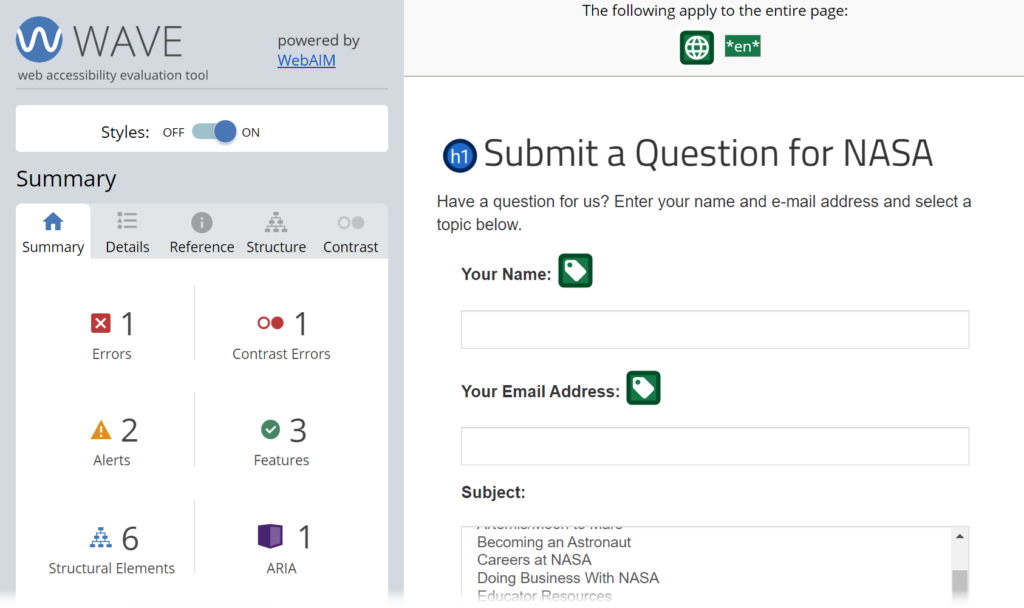
Where they differ is in what happens after an issue is found. WAVE’s report shows errors, alerts, and features directly on the page using its familiar icon system, which is genuinely useful for learning what an issue looks like in context. It’s a strong educational tool.
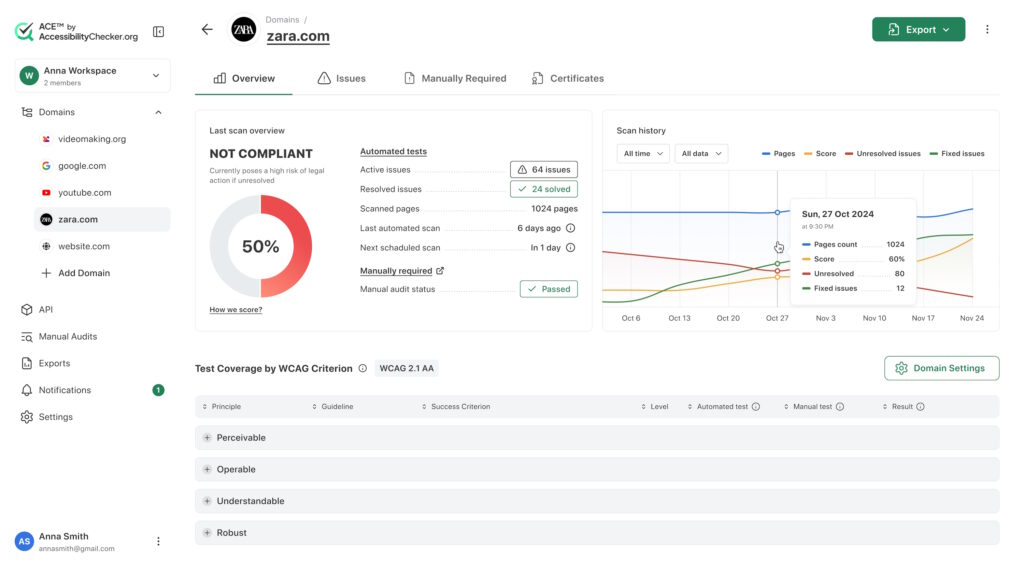
AccessibilityChecker.org takes this further with its Impact Classification system, which sorts every issue into Legal Risk, User Impact, or Best Practice, so teams can prioritize fixes based on real-world consequence rather than just WCAG conformance level.
AccessibilityChecker.org also uses cross-page pattern detection, grouping repeated issues (like a navigation menu missing ARIA labels across 50 pages) into a single fixable pattern instead of listing each instance separately.
Monitoring over time
This is one of the clearest differences between the two. WAVE’s free tool is a point-in-time check. There’s no built-in mechanism to monitor a site continuously unless you’re using the paid API or a partner product like Pope Tech.
AccessibilityChecker.org, on the other hand, includes continuous monitoring as a standard feature. Scheduled rescans run automatically, and alerts notify your team if your Accessibility Score drops or new Legal Risk issues appear, which matters for organizations that need to catch regressions as new pages and features roll out.
Remediation support
WAVE identifies issues but leaves the fixing to you. It doesn’t offer built-in remediation guidance beyond describing the error and pointing to the relevant WCAG criterion.
AccessibilityChecker.org pairs its scanner with SmartFix, which generates code-level fix suggestions for supported issue types. Every suggested fix requires manual review and approval before anything is applied, so nothing changes on your site automatically.
Reporting formats
WAVE’s AIM report includes a downloadable, color-coded spreadsheet of all detected issues plus notes from expert manual testers.
AccessibilityChecker.org exports reports in PDF (for stakeholders and legal teams), Excel (for developers), and white-labeled PDF for agencies working under their own brand. Reports break issues down by Impact Classification and by WCAG principle (Perceivable, Operable, Understandable, Robust).
AccessibilityChecker.org vs WAVE: Pricing
WAVE is free for single-page checks through its browser extension or the web-based tool at wave.webaim.org. Beyond that:
- The subscription API charges per credit: $0.04 per credit for 250 to 999 credits, $0.03 for 1,000 to 9,999, and $0.025 for 10,000 or more. A basic single-page check costs 1 credit, though advanced requests can cost 2 or 3.
- The AIM report is a one-time purchase: $500 for up to 20,000 pages, plus $100 for each additional 20,000 pages.
- The stand-alone API/testing engine is available as a separately licensed, installable product for organizations that want to run WAVE on their own infrastructure.
AccessibilityChecker.org is subscription-based, billed per domain, with three self-serve tiers plus a custom option:
- Lite: $69/domain/month (billed annually) for up to 25 URLs
- Starter: $119/domain/month (billed annually) for up to 100 URLs
- Growth: $249/domain/month (billed annually) for up to 500 URLs
- Tailored: custom pricing for multiple domains or more than 2,000 pages
All plans include WCAG 2.2 AA support, automated evidence collection, AI-assisted fixes for supported issues, continuous monitoring and alerts, and auto-updating accessibility statements.
A 7-day free trial is available on every plan.
The Final Verdict
If you’re a developer or content editor who wants to check a page quickly, learn what an accessibility issue looks like, or do a spot check before publishing, WAVE’s free browser extension is hard to beat for that specific job.
If you’re responsible for a whole website’s compliance over time, AccessibilityChecker.org is built for that job specifically. The combination of full-site crawling, cross-page pattern detection, impact-based prioritization, and continuous monitoring covers a lot of what WAVE’s free tool simply isn’t designed to do on its own.
Many teams actually use both: WAVE for quick, page-level spot checks during development, and AccessibilityChecker.org for ongoing, site-wide monitoring and compliance management.