AccessibilityChecker.org vs Siteimprove: Two Platforms, Two Different Price Points


Disclosure: AccessibilityChecker.org is one of the tools in this comparison. We’ve evaluated it with the same rigor and honesty as Siteimprove.
Accessibility platforms built for ongoing, site-wide compliance tend to fall into two categories: broad digital experience suites that include accessibility as one piece of a bigger product, and dedicated accessibility platforms built specifically around compliance workflows.
When we look at AccessibilityChecker.org vs Siteimprove, the difference shows up in both what each tool covers and what it costs.
This article compares both options so you can decide which fits your team and budget.
AccessibilityChecker.org vs Siteimprove: A Quick Comparison
| AccessibilityChecker.org | Siteimprove | |
|---|---|---|
| Best for | Dedicated, transparently priced accessibility compliance | Enterprises wanting accessibility bundled with SEO, analytics, and content tools |
| Standards covered | WCAG 2.2, ADA, Section 508, EAA, EN 301 549 | WCAG 2.1 and 2.2, levels A, AA, AAA |
| Full-site scanning | Yes, domains, subdomains, staging, and authenticated pages | Yes, includes PDF scanning and a dynamic content extension |
| Continuous monitoring | Yes, scheduled rescans and alerts included | Yes, tied to the Digital Certainty Index score |
| Issue prioritization | Impact Classification: Legal Risk, User Impact, Best Practice | Severity-based scoring rolled into an overall Accessibility Score |
| Cross-page pattern detection | Yes, groups repeat issues by shared component | Not a core feature |
| AI-assisted remediation | Yes, SmartFix suggestions, reviewed before applying | Yes, Code Checker with AI-powered suggestions |
| Beyond accessibility | Accessibility only | Yes, SEO/AEO, analytics, and content strategy modules |
| Pricing model | Published, self-serve, per domain | Custom quote, sales-assisted |
| Typical cost | From $69/domain/month, 7-day free trial | Roughly $10,000-$150,000+/year depending on pages and modules (third-party estimates) |
AccessibilityChecker.org vs Siteimprove: The Basics
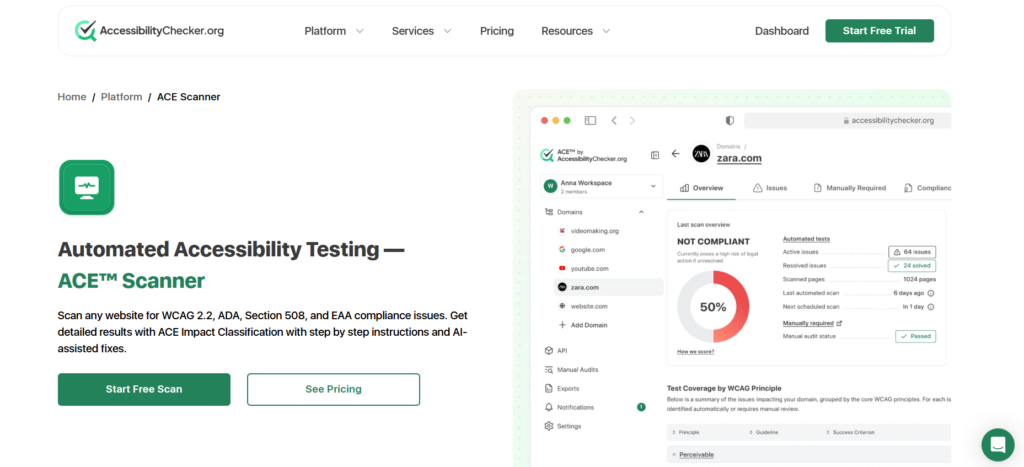
AccessibilityChecker.org is an accessibility testing platform.
It tests against WCAG 2.2, ADA, Section 508, the EAA, and EN 301 549, and it’s organized around the testing engine, which assigns every detected issue an Rule ID and an Impact Classification (Legal Risk, User Impact, or Best Practice).
AccessibilityChecker.org is purpose-built for accessibility compliance specifically, and it’s priced and packaged as a self-serve product, with transparent per-domain plans and a free trial.
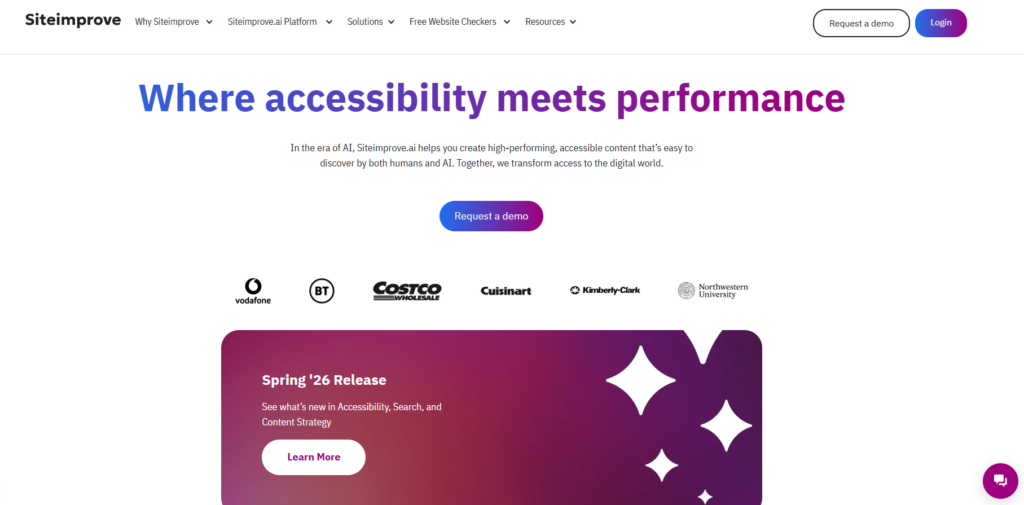
Siteimprove is a much larger platform, now positioned as “Siteimprove.ai,” an agentic content intelligence suite that bundles accessibility together with analytics, SEO/AEO, and content strategy.
Its accessibility module audits against WCAG 2.1 and 2.2 at the A, AA, and AAA levels, and it’s built for large organizations, especially government, higher education, and enterprise, that want accessibility managed alongside broader digital governance.
Siteimprove is sold through custom, sales-assisted quotes rather than published self-serve pricing.
AccessibilityChecker.org at a glance
- WCAG 2.2, ADA, Section 508, EAA, and EN 301 549 coverage
- Impact Classification sorts issues into Legal Risk, User Impact, or Best Practice
- Cross-page pattern detection to group repeat issues by shared component
- Continuous monitoring with scheduled rescans and alerts
- SmartFix AI-assisted remediation suggestions, reviewed before applying
- Transparent, published self-serve pricing by domain
Siteimprove at a glance
- WCAG 2.1 and 2.2 coverage across A, AA, and AAA levels
- Accessibility bundled with analytics, SEO/AEO, and content strategy modules
- PDF and document accessibility scanning
- Dynamic Content Checker browser extension for testing forms, booking flows, and other non-crawlable content
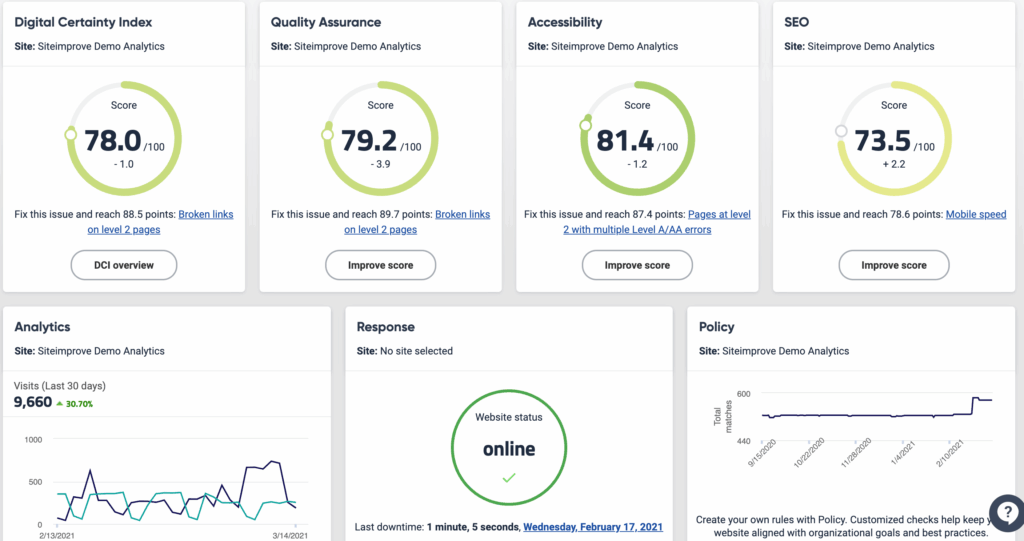
- Digital Certainty Index (DCI) scoring that ties accessibility into broader digital health metrics
- Custom, sales-assisted pricing based on page count and modules
Platform Pros and Cons
- Simple, transparent pricing you can see without booking a demo
- Cross-page pattern detection can resolve a large share of issues by fixing shared components
- Prioritizes fixes by real-world impact, not just WCAG conformance level
- Fast to set up: scans start without a lengthy onboarding or sales process
- Focused specifically on accessibility, so nothing is bundled in that you don't need
- Doesn't include the SEO, analytics, or content strategy modules Siteimprove offers
- Higher page-count and multi-domain needs require the custom Tailored plan
- Strong option for organizations that also want SEO, analytics, and content governance in one platform
- Long track record with large enterprise, government, and higher ed customers
- Scans beyond standard web pages, including PDFs and dynamic, non-crawlable content
- Established reporting tied to a broader "digital certainty" metric that some leadership teams find useful for cross-department buy-in
- Pricing isn't public. Third-party estimates put annual costs anywhere from around $10,000 for a small site up to well over $100,000 for a large enterprise with the full suite
- Paying for SEO, analytics, and content modules you don't need adds cost if you only want accessibility
- Some reviewers note a steep learning curve and slower crawls on larger sites
- Requires a sales call and custom quote to get pricing at all
AccessibilityChecker.org vs Siteimprove: Features
Scanning scope
Both platforms are built for full-site scanning rather than one page at a time. AccessibilityChecker.org crawls an entire domain or sitemap, including subdomains, staging environments, and pages behind authentication, with scheduled scans and unlimited on-demand rescans included in a standard subscription.
Extra features include SmartFix, which offers AI-assisted remediation, and Chrome Extension, which allows you to scan any interactive elements on your site.
Siteimprove also scans full sites and extends further into non-HTML content: it audits PDFs directly for tagging, reading order, and alt text issues, and its Dynamic Content Checker extension can capture and test flows that don’t get picked up by a normal crawl, like shopping carts, booking forms, or LMS modules.
If PDF and dynamic-content testing is a priority for your organization, that’s a genuine point in Siteimprove’s favor.
Issue detection and prioritization
Both tools go beyond a flat list of WCAG violations. Siteimprove sorts issues by WCAG standard and severity and gives every site an Accessibility Score, which rolls up into the broader Digital Certainty Index for reporting to leadership.
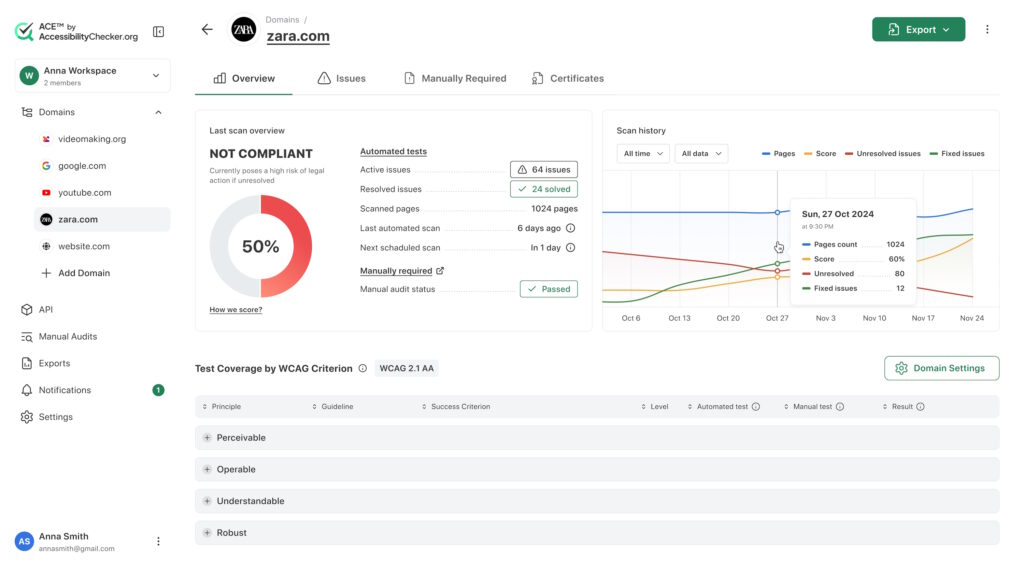
AccessibilityChecker.org’s Impact Classification works similarly but frames prioritization around business consequence: Legal Risk, User Impact, or Best Practice, rather than severity alone.
AccessibilityChecker.org also applies cross-page pattern detection, grouping a repeated issue (like an unlabeled navigation menu appearing on 50 pages) into a single fixable item instead of listing every instance separately.
Remediation support
Siteimprove offers a Code Checker with AI-powered remediation suggestions for developers, plus governance tools to assign issues to specific team members across departments.
AccessibilityChecker.org pairs its scanner with SmartFix, which generates code-level fix suggestions for supported issue types. As with Siteimprove’s suggestions, every SmartFix recommendation requires manual review and approval before anything changes on your site.
Team and governance features
This is one of Siteimprove’s stronger areas. It’s designed as a cross-department hub connecting developers, content editors, marketing, and legal, with integrations into project management tools and CMS platforms, and it explicitly targets larger organizations managing accessibility, SEO, and content quality together.
AccessibilityChecker.org is more focused: it supports role-based permissions and multi-domain dashboards for agencies and teams managing several sites. It also offers white-labeled reporting for agencies working under their own brand, but it doesn’t extend into SEO or general content governance the way Siteimprove does.
AccessibilityChecker.org vs. Siteimprove: Pricing
AccessibilityChecker.org publishes its pricing directly. Clients are billed per domain on three self-serve tiers plus a custom option:
- Lite: $69/domain/month (billed annually) for up to 25 URLs
- Starter: $119/domain/month (billed annually) for up to 100 URLs
- Growth: $249/domain/month (billed annually) for up to 500 URLs
- Tailored: custom pricing for multiple domains or more than 2,000 pages
Every plan includes WCAG 2.2 AA support, automated evidence collection, AI-assisted fixes for supported issues, continuous monitoring and alerts, and auto-updating accessibility statements.
A 7-day free trial is also available on every plan.
Siteimprove does not publish pricing. It’s sold through a custom quote based on page count, the specific modules licensed (Accessibility, SEO, QA, Analytics, Policy, Content), contract length, and whether you buy a single module or a bundle.
Based on third-party pricing analyses and buyer-reported figures, typical annual costs run roughly $10,000 to $15,000 for a small site on the Accessibility module alone, $15,000 to $40,000 for mid-sized organizations monitoring a few thousand pages, and $75,000 to $150,000 or more for large enterprises using the full suite across tens of thousands of pages.
These figures aren’t official list prices, since Siteimprove doesn’t publish them, so an actual quote may land outside this range.
The Final Verdict
If you want a dedicated, transparently priced accessibility platform that you can start using without a sales call, AccessibilityChecker.org is built for that. Its impact-based prioritization, cross-page pattern detection, and continuous monitoring cover the core job of finding, fixing, and staying on top of accessibility issues across a site.
If your organization already needs SEO, analytics, and content governance tools alongside accessibility, and has the budget and procurement process for an enterprise contract, Siteimprove’s broader suite may be worth the added cost and complexity. It’s a strong fit for large institutions managing accessibility as one part of a bigger digital governance strategy.