- Categories (3)
- Guides - Platform
- Guides - Reviews
- Legislations
The Best AI Visibility Tools in 2026: 10 Picks, From Free to Enterprise


On August 31, 2026, Google gave every website in the world a free AI visibility report.
It sits inside Search Console, and it shows how often your pages appear in AI Overviews and AI Mode. Bing had already done the same for Copilot back in February.
Two weeks later, Profound raised $180 million at a $1.8 billion valuation to sell AI visibility to big brands. That same week, it removed its $99 and $399 self-serve plans from its pricing page.
So the free option got better, and the market leader got more expensive, all within three weeks.
That’s the AI visibility market in a nutshell.
There are now hundreds of tools, a few genuinely useful free ones, and a lot of dashboards that all claim to show you “how AI sees your brand.”
This list is deliberately short. Ten tools, each the best at one job, including the ones people are actually talking about this year: the free reports from Google and Bing, the fastest-growing challenger, and the infrastructure company that quietly built its own.
After the ten picks, we round up the other names you’ll keep hearing about.
At the end, we’ll show you the one thing almost none of them check, and why it matters if AI agents ever need to use your site.
The Best AI Visibility Tools at a Glance
Short on time? Here’s the whole list in one table. Prices are monthly list prices, checked on each vendor’s own pricing page at time of publishing.
| Tool | Best for | Free option | Paid from |
|---|---|---|---|
| Profound | Enterprise brands | Free trial | Custom (enterprise only) |
| Peec AI | Mid-market teams and agencies | Free trial | $95/mo |
| Google Search Console + Bing Webmaster Tools | Everyone, as a starting point | Yes, fully free | Free |
| Otterly.AI | Small budgets | Free trial | $29/mo |
| AthenaHQ | Most AI engines for the money | Yes, free Essential plan | $295/mo |
| Ahrefs Brand Radar | Competitor and market research | Free AI visibility checker | $50/mo add-on |
| Semrush AI Visibility Toolkit | Teams already on Semrush | 7-day trial | $99/mo |
| HubSpot AEO | Teams already on HubSpot | Free AEO Grader | $50/mo |
| Cloudflare AEO Visibility Dashboard | Sites already on Cloudflare | Early access | Not yet published |
| Scrunch | Making your site readable to AI | No | $250/mo (billed annually) |
If you only do one thing this week, switch on the two free reports from Google and Bing. They won’t tell you what ChatGPT says about you, but they cost nothing and they’re the only data that comes straight from the AI search engines themselves.
What Does an AI Visibility Tool Actually Do?
An AI visibility tool shows how your brand appears in AI-generated answers from tools like ChatGPT, Google AI Overviews, Gemini, Perplexity and Copilot.
Most of them work the same way. You list the questions your buyers ask AI (“prompts”), like “best payroll software for a 20-person company.” The tool asks those questions every day, records the answers, and tells you whether your brand came up, where, in what tone, and next to which competitors.
The free tools from Google and Bing work differently. They don’t ask anything. They report what actually happened on their own AI features: which of your pages were shown or cited, and how often.
The three questions behind every tool
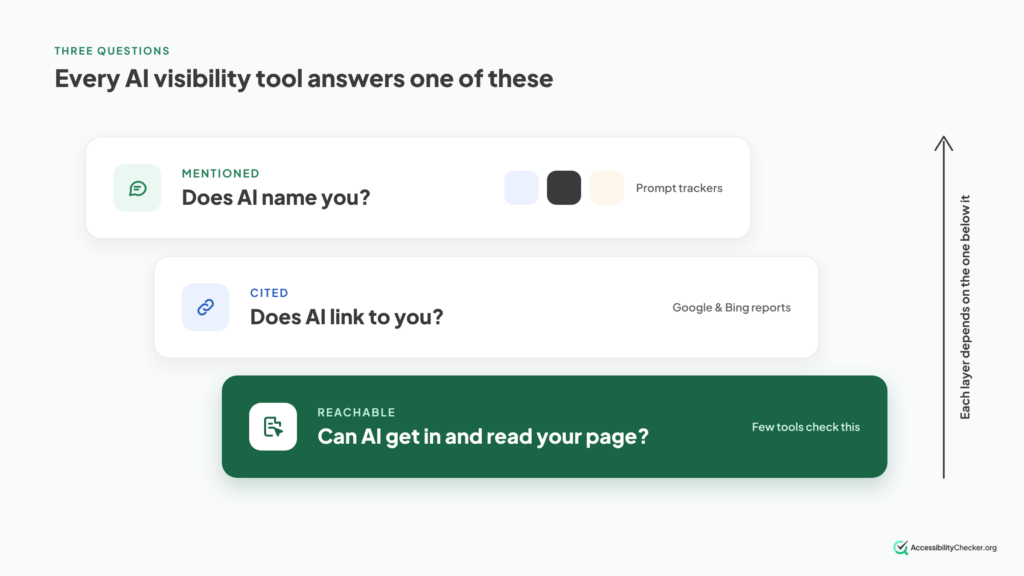
Strip away the dashboards and every tool on this list answers one of three questions:
- Are we mentioned? Does the AI name your brand when someone asks about your category? Prompt trackers like Peec AI and Profound live here.
- Are we cited? Does the AI link to your pages as a source? Google’s and Bing’s reports measure this directly, and most paid tools estimate it.
- Can AI reach us? Can AI crawlers and agents actually get to your pages and understand them? Only a handful of tools, like Cloudflare and Scrunch, look at this at all.
Most people buy a tool for the first question and never think about the third. We’ll come back to why that’s a mistake.
A warning about the numbers
AI answers change every time you ask. When SparkToro tested this, it found that fewer than 1 in 100 repeated runs returned the same list of brands.
That doesn’t make these tools useless. It means a single “AI rank” is close to meaningless, and the trend across many prompts over weeks is what counts. Be suspicious of any tool that shows you one number from a handful of runs.
How we picked these ten
Every tool here had to pass four tests:
- It’s being talked about now. It shipped something, raised money or changed hands in the last few months, or it keeps coming up when practitioners compare notes.
- It’s live. You can sign up or switch it on today. Where something is still in early access, we say so.
- It has a clear job. Each pick is the best at one thing, so the list doesn’t repeat itself.
- The cost is clear. Where a company doesn’t publish prices, we say so.
We compared features, pricing, coverage and recent news, and linked our sources so you can check them. Prices were checked on each vendor’s own pricing page at time of publishing. We used the free tiers ourselves where they exist. We didn’t buy paid plans, so treat feature notes as what each vendor offers, not lab results.
None of these tools is ours. AccessibilityChecker.org makes an agent-readiness scanner, which we mention near the end. It isn’t ranked here.
Top 10 AI Visibility Tools in 2026
1. Profound: Best for Enterprise Brands
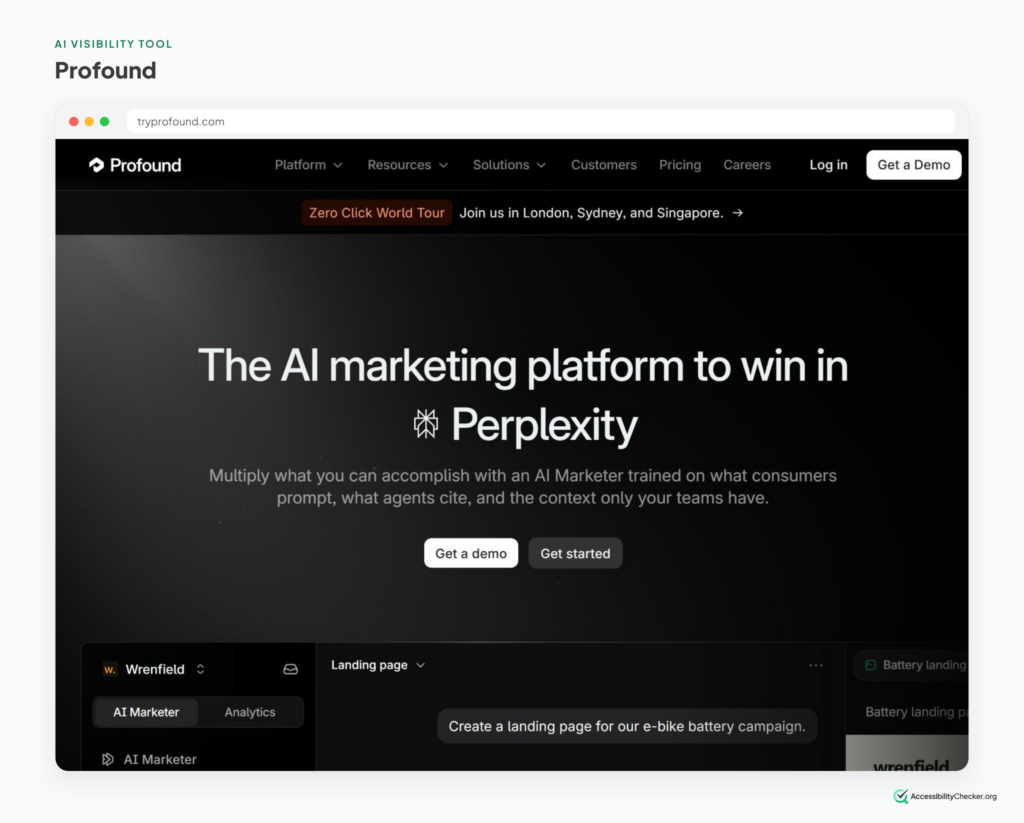
Profound is the company everyone else in this category gets compared to.
In September 2026, it raised a $180 million Series D at a $1.8 billion valuation, co-led by Sequoia and Kleiner Perkins. That was less than seven months after its previous round. It says it now serves over 1,000 enterprise brands, including Walmart, Zoom and Figma.
It started as a tracker. Today it’s pitching itself as a full AI marketing platform, built around an “AI Marketer” agent that finds gaps in AI answers and sends sub-agents to fix them: refreshing stale pages, chasing earned media, even running AI search ads.
Underneath that, the measurement is still the main draw. Profound says its data is built on more than 2 billion real user prompts, so it can show you what people actually ask AI about your category, not just what you guessed they ask.
What it’s good at
- Prompt volume data: which questions people really ask AI, and how often.
- Agent Analytics, which shows how AI crawlers move through your site.
- Large, multi-brand teams that need SSO, security reviews and an account manager.
Watch out for
The price, and the process. In September, Profound removed its $99 Starter and $399 Growth plans, leaving a free trial and custom Enterprise pricing. If you’re a small team, you’ll be talking to sales for a tool built for companies much bigger than yours.
Pricing: free trial, then custom Enterprise contracts. No published price.
Best for: large brands that treat AI visibility as a channel with its own budget and owner.
Good alternatives: Evertune (from $60/month) if statistical rigour matters most, since it samples each prompt many times per model. Brandlight if you want an enterprise platform with a more hands-on service model.
2. Peec AI: Best for Mid-Market Teams and Agencies
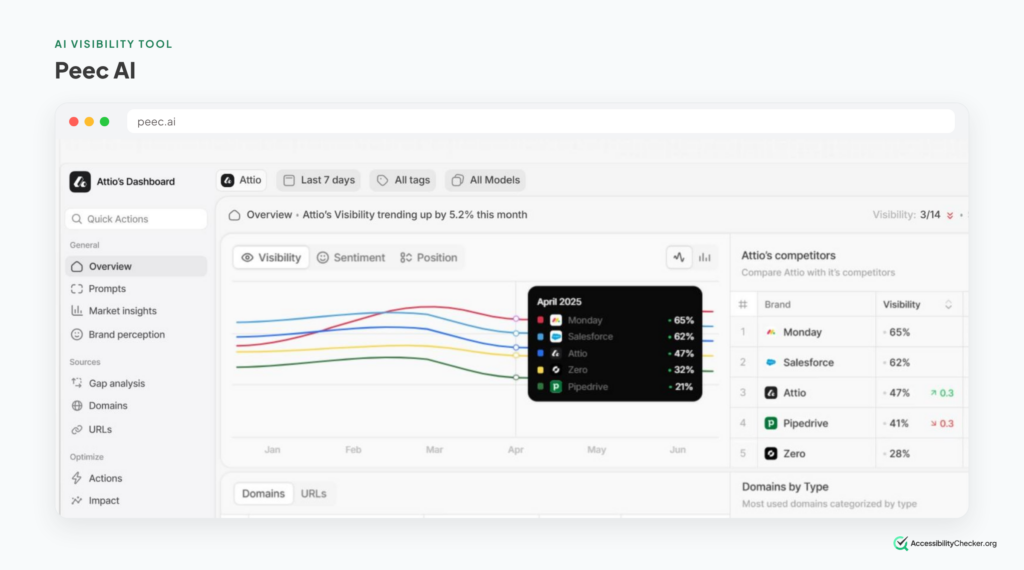
If Profound is the enterprise default, Peec AI is the default for everyone else.
The Berlin startup is one of the youngest tools on this list. About a year and a half after launch, it passed $10 million in annualized revenue and opened a New York office. Its pricing page now says it’s trusted by more than 3,500 brands and agencies.
It grew that fast by doing the simple thing well. You add your prompts, pick your AI models, and Peec tracks your visibility, position, sentiment and share of voice every day, against the competitors that actually show up in your answers.
It also separates two things many tools blur together: being mentioned in an answer and being cited as a source. And every plan includes a crawlability audit that checks whether your robots.txt lets in more than 40 AI bots.
What it’s good at
- Clean, daily reporting you can set up in an afternoon.
- Agencies, thanks to unlimited users on every plan and dedicated agency pricing.
- Finding the websites AI cites when it names a competitor but not you.
Watch out for
Each plan includes just three AI models. Extra models are paid add-ons, and API access and SSO are Enterprise-only. Price the plan with every engine your buyers use, not the headline number.
Pricing: Starter from about $95/month (50 prompts, 3 models). Pro and Advanced add more prompts and projects. Enterprise is custom.
Best for: marketing teams and agencies that want reliable daily data without an enterprise contract.
3. Google Search Console + Bing Webmaster Tools: Best Free AI Visibility Tools
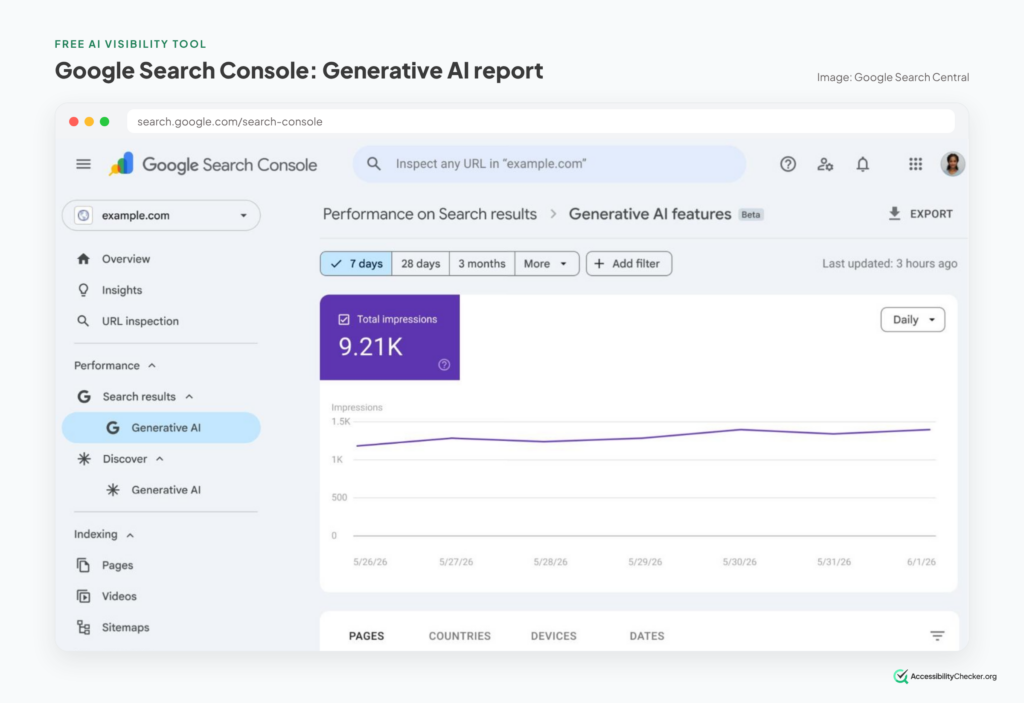
These two aren’t startups, and nobody is advertising them. But they’re the most important AI visibility tools most site owners aren’t using.
Google Search Console added dedicated generative AI performance reports in June 2026. On August 31, Google rolled them out to every website worldwide. You can see how often your pages appeared in AI Overviews, AI Mode and Discover’s AI features, broken down by page, country, device and date.
Bing Webmaster Tools got there first. Its AI Performance report launched in February and tracks citations in Microsoft Copilot, Bing’s AI summaries and some partner integrations. It also shows “grounding queries”: the searches the AI ran behind the scenes to find your page.
In June, Bing added Intents, Topics, Citation Share and Compare. Citation Share is the big one. It tells you what slice of the citations for a given query point to your site, which is the closest thing to a free share-of-voice metric you’ll find anywhere.
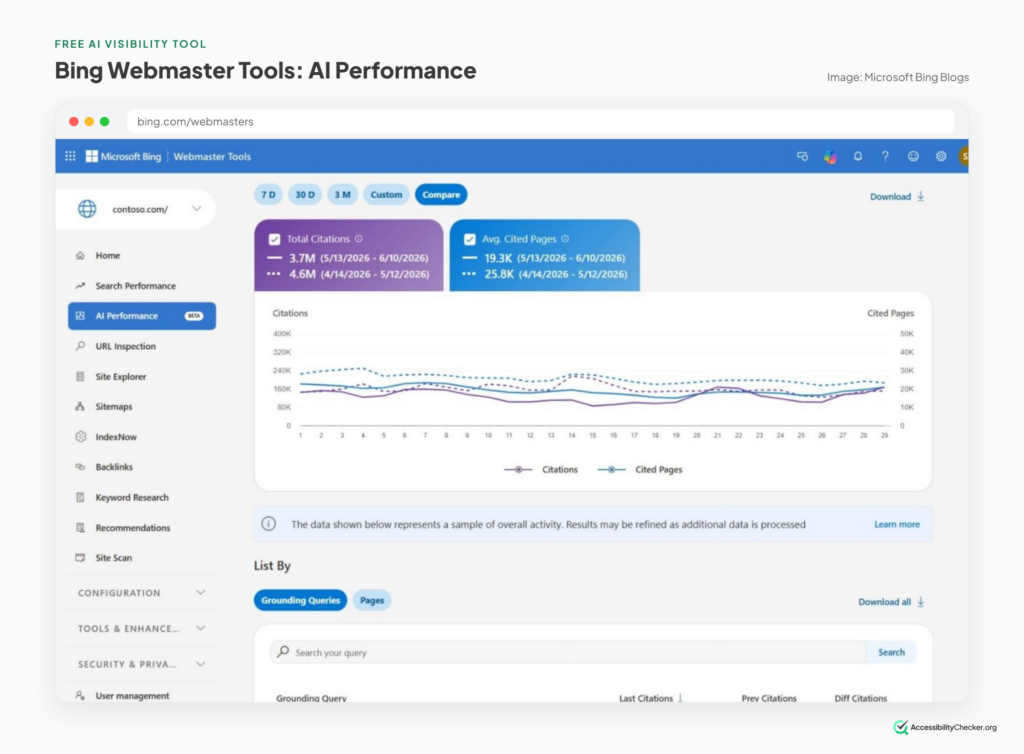
What they’re good at
- First-party data, straight from the AI search engines, not a simulation.
- Finding which of your pages AI already trusts, so you can do more of that.
- Bing’s grounding queries, which work like keyword research for AI answers.
Watch out for
They only cover their own surfaces. Neither will tell you a thing about ChatGPT, Perplexity or Claude. Google’s report also shows impressions only, with no queries and no clicks, and sites without enough AI impressions may not see it at all.
Pricing: free.
Best for: every site owner, as the first step before paying for anything.
PRO TIP: Not set up in Bing Webmaster Tools yet? Sign in with a Microsoft account, choose “Add site,” and import your sites straight from Google Search Console. It takes a couple of minutes, and the data starts appearing within about a day.
4. Otterly.AI: Best on a Small Budget
Otterly.AI is the tool small teams and freelancers keep recommending to each other, and the price is most of the reason.
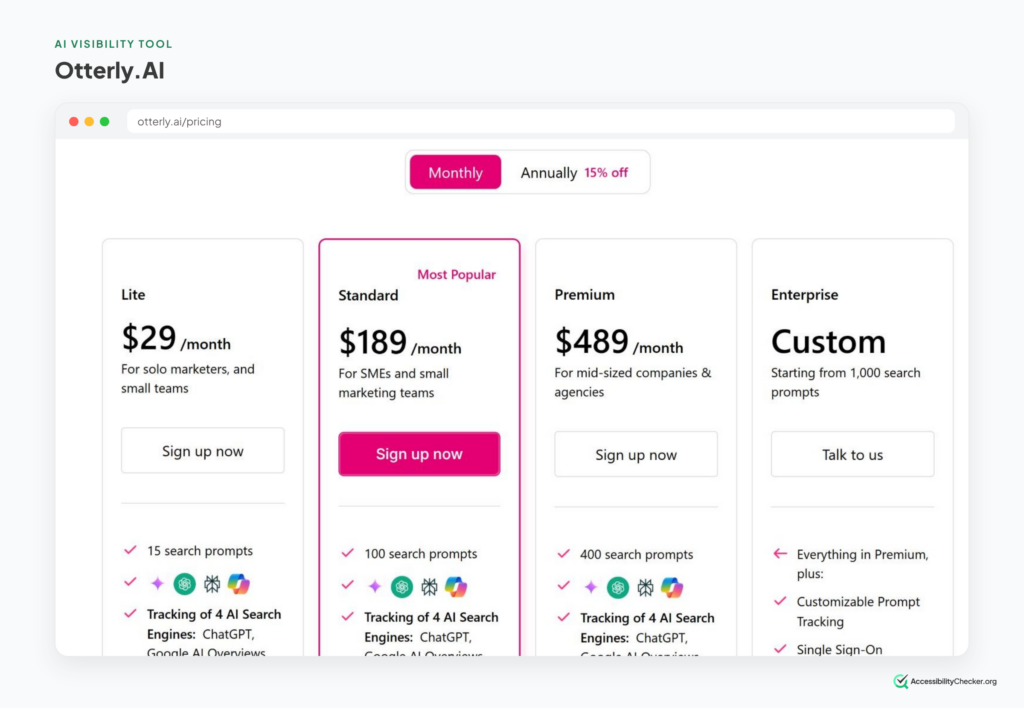
The Lite plan costs $29 a month and tracks 15 prompts daily across ChatGPT, Google AI Overviews, Perplexity and Microsoft Copilot. Every plan includes unlimited team members and a GEO audit that checks individual pages for issues that could stop AI from reading them.
It’s also one of the few trackers watching paid placements: every plan includes ChatGPT Ads Tracking, so you can see which competitors are paying to appear in ChatGPT.
What it’s good at
- Getting real AI visibility data for the price of a streaming subscription.
- Agencies, through its partner program and unlimited workspaces on higher plans.
- Page-level GEO audits alongside the tracking.
Watch out for
Fifteen prompts is enough for a first look, not a strategy. And Gemini, AI Mode and Claude are paid add-ons, with Claude costing up to $439 a month extra on the biggest plan.
Pricing: Lite $29/month, Standard $189/month (100 prompts), Premium $489/month (400 prompts). Free trial available.
Best for: small businesses, freelancers and anyone testing AI visibility before committing real budget.
Good alternative: Rankscale if you need lots of AI engines cheaply. It’s credit-based, starting at $17/month, billed yearly.
5. AthenaHQ: Best Engine Coverage for the Money
Most trackers cover three or four AI engines and charge extra for the rest. AthenaHQ goes the other way.
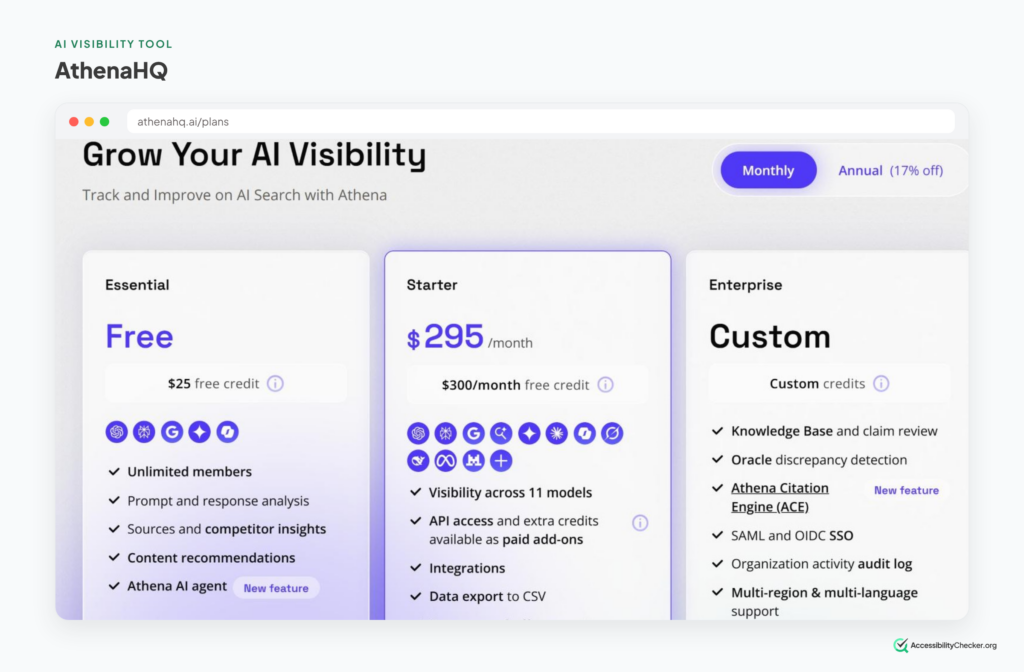
Its Starter plan covers 11 AI models, including ChatGPT, Perplexity, AI Overviews, AI Mode, Gemini, Claude, Copilot, Grok, DeepSeek, Meta AI and Mistral. And it has a genuinely free plan, Essential, which covers five engines with 300 credits.
AthenaHQ also leans harder into action than most. It recommends on-page and off-page fixes, includes a content optimization agent, and can manage which AI crawlers get into your site through robots.txt and llms.txt. It connects to Shopify, GA4 and Search Console too.
What it’s good at
- Covering the long tail of AI engines without add-on fees.
- Trying a real tracker for free before you pay.
- Online stores, through its Shopify integration.
Watch out for
Pricing runs on credits, and one credit equals one AI response. Track lots of prompts on all 11 engines and 3,600 credits go quickly. Starter also covers only one region and language.
Pricing: Essential is free. Starter is $295/month (3,600 credits). Enterprise is custom.
Best for: teams whose buyers are spread across lots of different AI tools.
6. Ahrefs Brand Radar: Best for Competitor Research
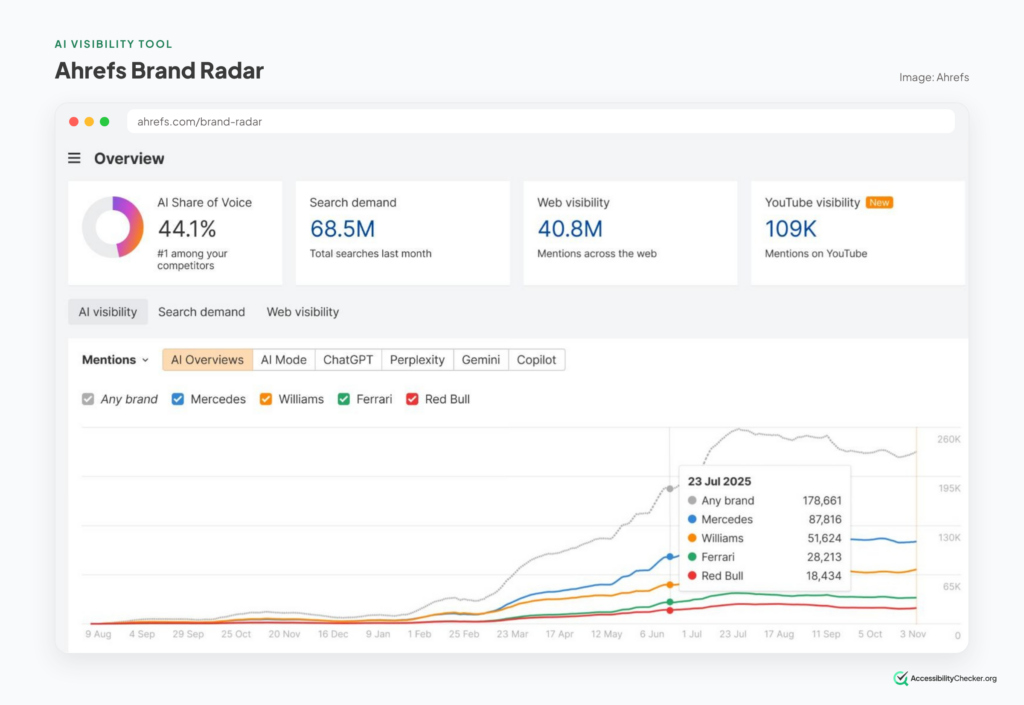
Every other tracker on this list waits for you to type in your prompts. Ahrefs Brand Radar has already asked the questions.
Ahrefs turns real searches from its keyword database into natural questions, then runs nearly 500 million prompts through AI Overviews, AI Mode, ChatGPT, Perplexity, Gemini and Copilot. You can type in any brand, yours or a competitor’s, and see its AI visibility straight away. No setup.
For your own key questions, Custom Prompts track the exact prompts you choose, daily. Custom Prompts also cover Claude, and every paid Ahrefs plan now includes a few of them.
What it’s good at
- Sizing up competitors and whole categories in minutes.
- Linking AI citations back to search demand, backlinks and AI bot visits.
- Tracking the off-site sources AI leans on, like YouTube and Reddit.
Watch out for
The ready-made index is re-tested monthly, according to Ahrefs’ own FAQ, so it’s for research rather than day-to-day monitoring. And it’s built from search demand, so a small or new brand with little search volume may barely show up. That’s what Custom Prompts are for.
Pricing: Custom Prompts from $50/month, or $699/month for all models. The AI Visibility Index is $199/month. Both sit on top of an Ahrefs plan.
Best for: SEO teams and agencies that want market-wide AI data next to their existing Ahrefs data.
7. Semrush AI Visibility Toolkit: Best for Semrush Users
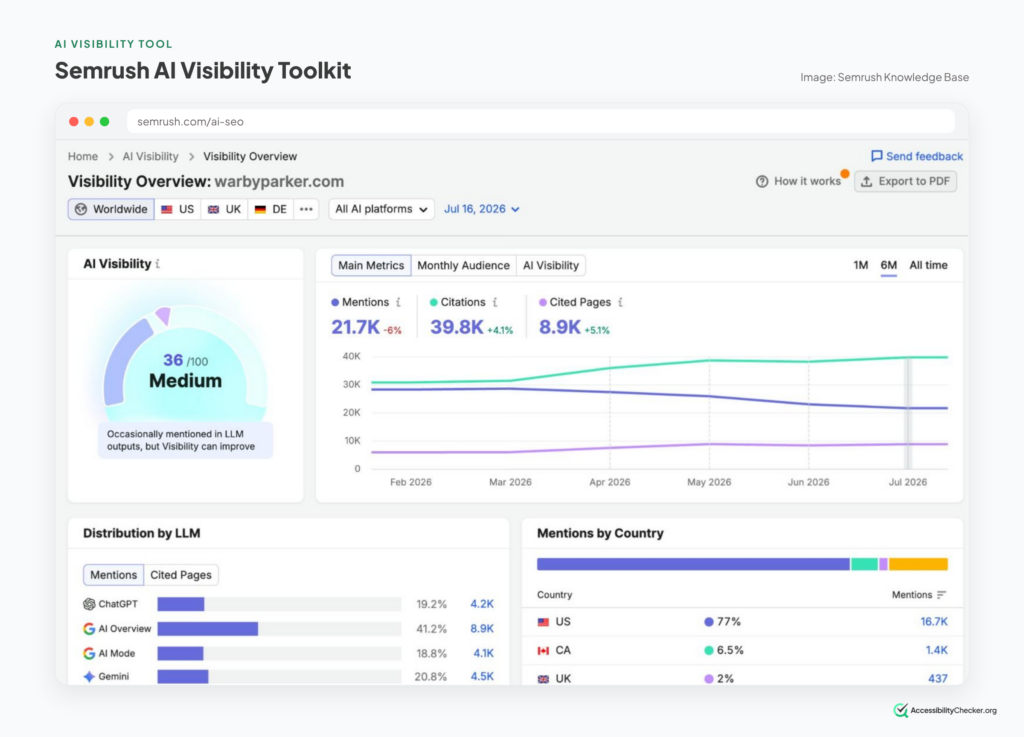
Semrush is now an Adobe company. Adobe agreed to buy it for about $1.9 billion in November 2025 and completed the deal on April 28, 2026. AI visibility was a big part of the reason.
The AI Visibility Toolkit tracks your prompts daily across ChatGPT, Gemini, AI Overviews and AI Mode, and puts the results next to the keyword, backlink and site audit data you already use in Semrush. You can see which prompts and sources your competitors win, and where you’re missing.
What it’s good at
- Keeping AI visibility and SEO in one tool and one login.
- Seeing which pages and sources drive competitors’ AI mentions.
- Teams that already know their way around Semrush.
Watch out for
The entry plan is small. The standalone toolkit is $99/month for one domain and 25 prompts, and pricing is per domain, so it adds up fast for multi-brand companies.
Pricing: AI Visibility Toolkit from $99/month. Semrush One (SEO Toolkit plus AI visibility, 50 daily prompts) from $199/month.
Best for: teams already paying for Semrush who want AI visibility without another vendor.
8. HubSpot AEO: Best for HubSpot Users
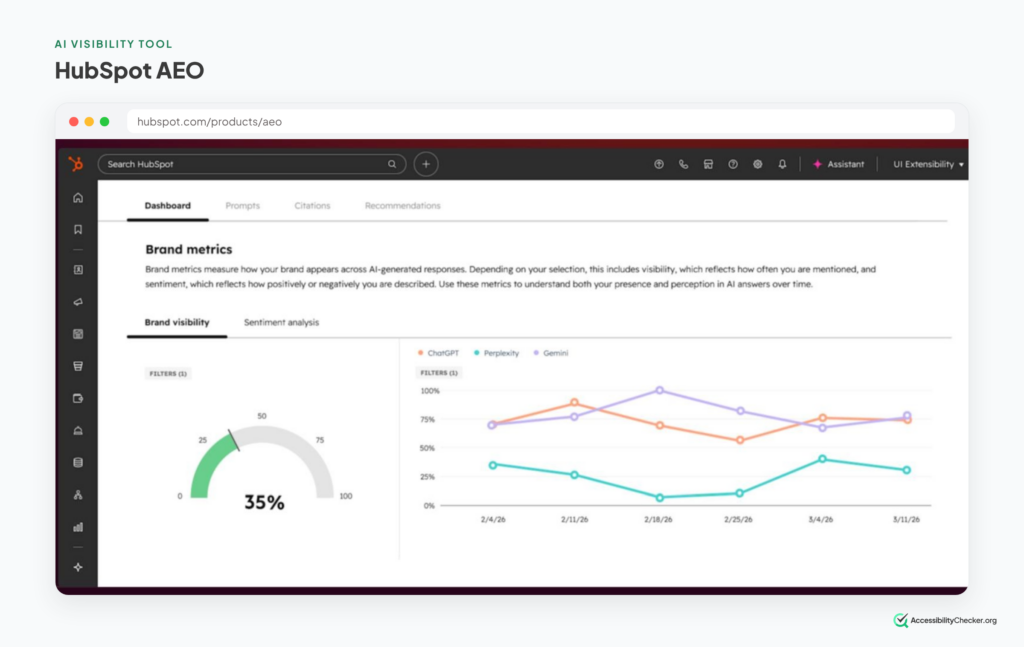
HubSpot didn’t build its AI visibility tool from scratch. It bought one.
In late 2025, it acquired XFunnel, an Israeli startup less than a year old. Five months later, in April 2026, it launched HubSpot AEO.
It tracks how your business appears in ChatGPT, Gemini and Perplexity, with a visibility dashboard, sentiment, competitor share of voice and citation analysis. Its twist is your CRM. Instead of making you guess which prompts matter, it suggests them based on what HubSpot already knows about your business and buyers.
What it’s good at
- A low-cost way to start, with no HubSpot plan needed.
- Prompt suggestions grounded in your real customer data.
- Teams that want AI visibility inside the tool they already live in.
Watch out for
Three engines only, so no Claude, Copilot or AI Overviews. And at launch, HubSpot said acting on recommendations directly inside the tool was “coming later this year.” It’s also still labelled beta.
Pricing: $50/month ($45 billed annually) per brand, including 25 prompts, with more available to buy. No HubSpot plan required. Included in Marketing Hub Professional and Enterprise.
Best for: small and mid-sized businesses already running on HubSpot.
PRO TIP: Want a free one-off snapshot before you commit to anything? HubSpot’s AEO Grader and Ahrefs’ AI Visibility Checker both give you a quick read on how AI tools see your brand. Treat the result as a conversation starter, not a benchmark, for the reason in the SparkToro study above.
9. Cloudflare AEO Visibility Dashboard: Best for Seeing What AI Actually Does on Your Site
This is the one most “best AI visibility tools” lists haven’t caught up with yet.
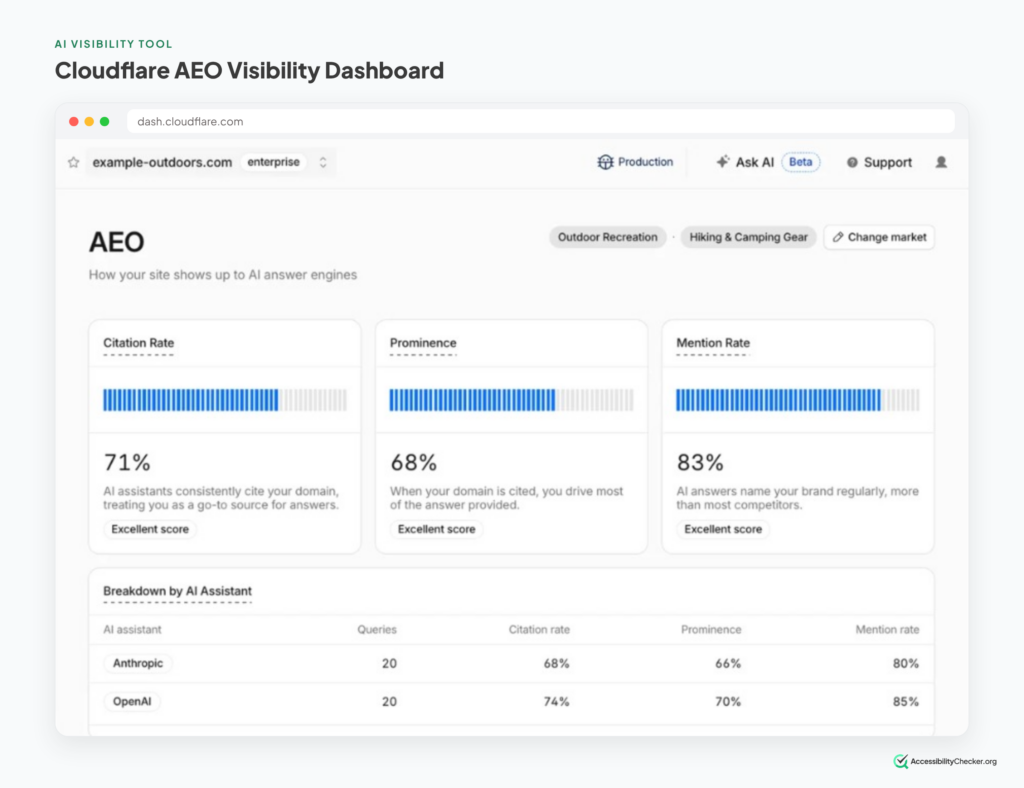
On August 6, 2026, Cloudflare launched its AEO Visibility Dashboard in early access. It reports four numbers: how often AI platforms cite your site, how often they mention you without citing you, how prominent you are in the answer, and your share of voice against competitors.
What makes it different is where the data comes from. Most trackers send test prompts to chatbots and sample the replies. Cloudflare sits between AI platforms and millions of websites, so it also sees real crawl activity and real referral traffic.
It sits next to Cloudflare’s Agent Readiness check, which looks at whether the technical standards for AI agents are in place: robots.txt rules, Markdown versions of your pages, MCP and WebMCP. That tells you whether agents can reach your site. It doesn’t tell you whether they can actually use your pages once they arrive. More on that below.
What it’s good at
- Separating an authority problem (mentioned but never cited) from an awareness problem (not mentioned at all).
- Grounding the numbers in real crawler and referral data, not just simulated prompts.
- Checking access and recommendations in one place.
Watch out for
It’s early access, it only works for sites on Cloudflare, and pricing hasn’t been published. One more thing to check while you’re there: since September 15, 2026, Cloudflare blocks AI training and agent crawlers by default on pages that show ads for new domains, new customers and sites on the free plan. Search crawlers are still allowed. If AI agents never seem to reach your site, that setting is worth a look before you blame your content.
Pricing: request early access from the Overview tab in your Cloudflare dashboard. No published price yet.
Best for: sites already on Cloudflare that want visibility and crawler data in the same place.
10. Scrunch: Best for Making Your Site Readable to AI
Scrunch started as a tracker, and it still is one. But it’s best known now for something the others don’t do.
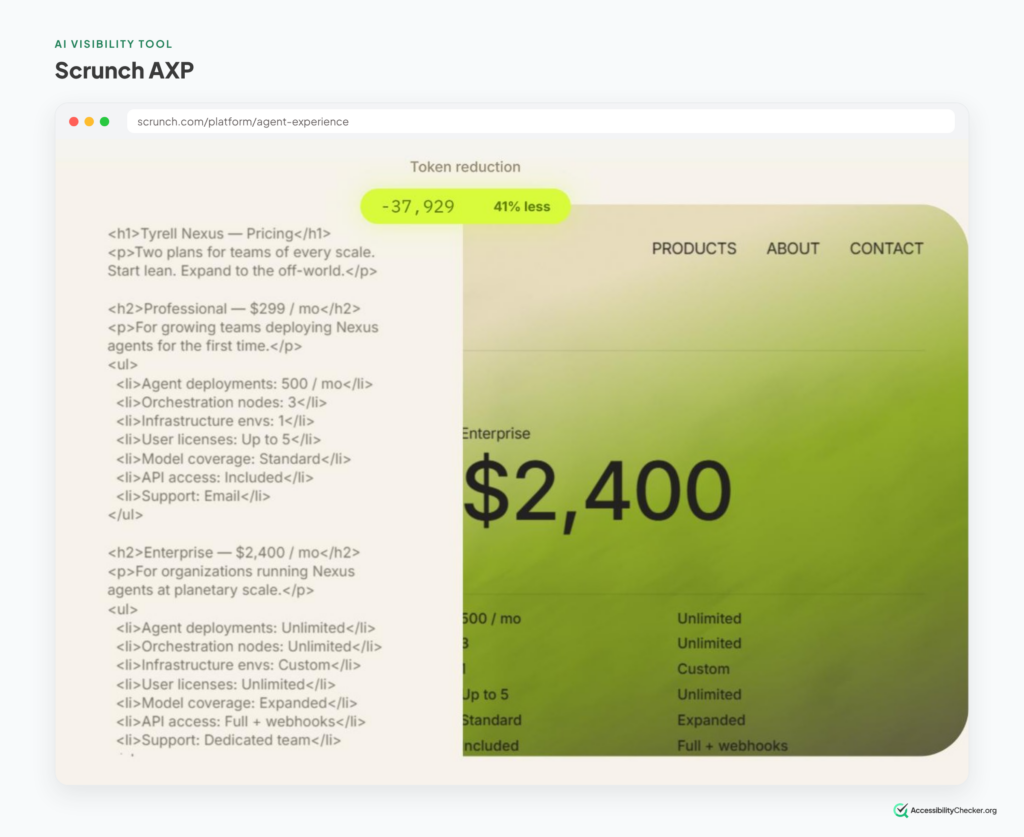
Its Agent Experience Platform, AXP, delivers a version of your content formatted for AI agents, without changing what human visitors see. In one customer analysis, Akamai reported a 364% increase in appearances in AI answers to non-branded prompts for pages using AXP. That’s a vendor-run study, so treat it as a promising signal rather than proof.
That approach caught the eye of Sitecore, which acquired Scrunch in June 2026. Scrunch is still sold directly, with its own plans, and Sitecore customers can now connect it to SitecoreAI CMS to act on findings inside the CMS.
What it’s good at
- Fixing what AI crawlers see, not just reporting on it.
- Spotting rendering and indexing issues that hide content from AI.
- Enterprise teams on Sitecore.
Watch out for
AXP is a separate layer built for machines. It can help, but it doesn’t fix the page your human visitors, or an AI agent using a real browser, actually land on. More on that in the next section.
Pricing: Starter from $250/month billed annually, or $300 month to month.
Best for: larger sites with JavaScript-heavy pages that AI crawlers struggle to read.
Good alternative: Goodie (from $295/month) if you sell products. Its Agentic Commerce Suite tracks product-level visibility across ChatGPT, Perplexity, Google’s AI Mode, Alexa for Shopping and Walmart’s Sparky.
Also Worth Knowing
Ten picks can’t cover a market this crowded. These names come up in almost every comparison.
- ChatGPT ads. OpenAI has opened its ChatGPT Ads Manager to all US businesses, so some brands in AI answers are now paying to be there. Otterly.AI tracks ChatGPT ads on every plan, and Profound’s Ads Studio puts paid and organic AI visibility side by side.
- Writesonic. An AI writing platform that has added AI visibility tracking. Worth a look if you want tracking and content creation in one tool.
- SE Visible (SE Ranking). SE Ranking’s AI visibility tracker, a natural fit if you already use SE Ranking for SEO.
- BrightEdge and Conductor. The big enterprise SEO platforms have added AI visibility to their suites. Conductor also partners with Optimizely to supply that data inside Optimizely’s platform.
- Searchable. One more sign the market is consolidating: Searchable acquired New York-based Meridian in a seven-figure deal in September. That follows Adobe buying Semrush, HubSpot buying XFunnel and Sitecore buying Scrunch.
What AI Visibility Tools Can’t See
Remember the three questions: are we mentioned, are we cited, can AI reach us?
Look back at the list and you’ll notice that almost all of it, and almost all of the money pouring into this market, is aimed at the first two. The third gets a robots.txt check, if it’s lucky.
That made sense when AI only read your site. It makes less sense now that AI also uses it.
ChatGPT, Claude, Gemini and Perplexity all ship agents that click through websites for people. (We compared them in our guide to the best AI agents.) So picture what happens when your AI visibility work pays off:
- Someone asks an AI for the best waterproof trail shoes. It recommends you by name. Your tracker shows a nice green tick.
- They say “great, buy me a pair in size 10.” An agent heads to your product page.
- The size picker is built from plain divs with no label. The “Add to cart” icon has no name. The agent can’t tell which control does what, so it gives up, or buys from the competitor it mentioned second.
No AI visibility tool on this list would have flagged that. Your share of voice was fine. The sale still didn’t happen.
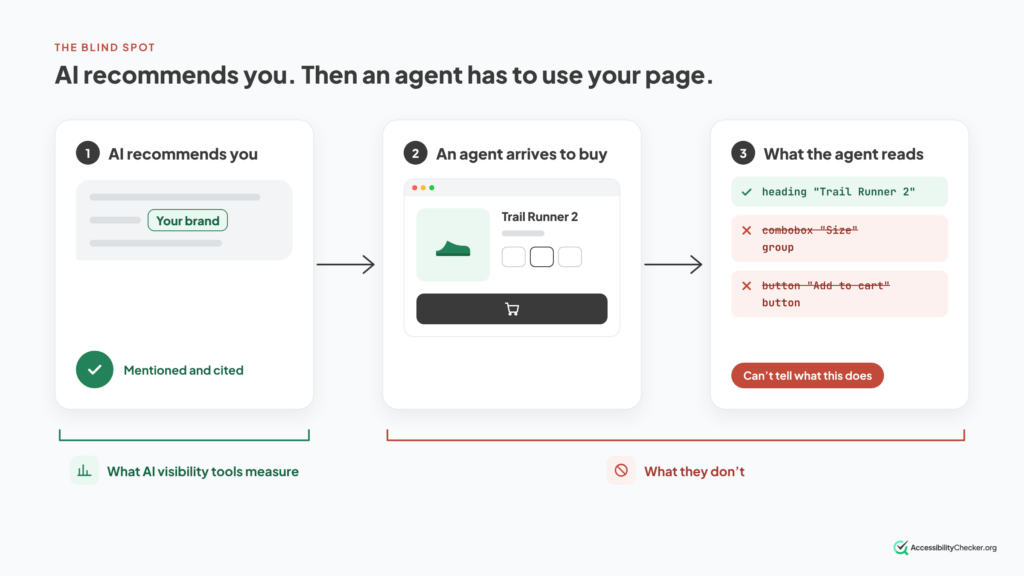
How agents actually see your page
Agents don’t see your page the way you do. Google’s guide to building agent-friendly websites says they rely on screenshots, the raw HTML and the accessibility tree.
The accessibility tree is the stripped-down version of your page that screen readers use: every button, link and form field, with its role, its name and its state. Many browser agents lean on it heavily, alongside screenshots, the raw page code and, increasingly, purpose-built channels like Markdown versions of pages, MCP and WebMCP.
So many of the things that trip up screen reader users trip up browser agents too:
- Buttons and icons with no accessible name.
- Dropdowns and pickers built from divs instead of real form controls.
- Prices and stock that only appear after JavaScript runs.
- Form errors shown in red but never announced.
To be clear, that’s not why you should make your site accessible. The people who rely on screen readers and keyboards are reason enough on their own.
But it does mean the AI visibility conversation has a blind spot. A tool can tell you that AI recommends you. Only your page can decide whether anything happens next.
PRO TIP: You can check the third question yourself in about a minute. Open Chrome DevTools, go to the Elements panel, and turn on the full-page accessibility tree. Find your most important button, like “Add to cart” or “Book now,” and check it has a clear name. Our guide to the accessibility tree walks through it step by step.
See whether agents can use your pages
Run a free scan on AccessibilityChecker.org to check your key pages for the issues above, like unnamed buttons and unlabelled form fields. (Disclosure: this is our tool, and it isn’t one of the ten picks above.)
Want to go deeper? Our guides to SEO vs GEO vs AEO vs agent readiness, agentic commerce and WebMCP cover what agents need from your site in detail.
How to Choose the Best AI Visibility Tool
You don’t need to compare feature grids. Four questions will get you to the right pick.
- Have you switched on the free reports yet?
Start here, whatever your budget. Google Search Console and Bing Webmaster Tools show which of your pages AI already uses. That tells you what’s working before you pay anyone to tell you what isn’t.
- Which AI tools do your buyers actually use?
Engine coverage is the hidden cost in this market. Many plans include three or four engines and charge extra for the rest. If your buyers live in Claude or Gemini, price the plan with those included. AthenaHQ covers the most engines on its first paid plan.
- Are you tracking yourself, or researching the market?
They’re different jobs. Trackers like Peec AI, Otterly.AI and HubSpot AEO watch your own prompts every day. Indexes like Ahrefs Brand Radar let you look up any brand or category instantly. Many teams end up with one of each.
- Who’s going to act on it?
A visibility score changes nothing on its own. The score moves when your pages, your listings and what others say about you change. Decide who does that work before you buy the dashboard. If nobody will, a $29 plan is plenty.
Quick picks by situation
| If you are… | Start with |
|---|---|
| A small business or freelancer | Google + Bing reports, then Otterly.AI |
| A mid-market brand or agency | Peec AI |
| A large enterprise | Profound |
| Already on Semrush, Ahrefs or HubSpot | The AI visibility tool in the suite you already pay for |
| On Cloudflare | Cloudflare’s AEO Visibility Dashboard (early access) |
| An online store | AthenaHQ or Goodie |
PRO TIP: Before you buy any tracker, write down 20 to 30 questions a buyer would ask AI before they know your name, like “best X for Y” or “alternatives to [competitor].” Skip branded prompts. They make your numbers look great and tell you almost nothing.
Best AI Visibility Tools FAQs
What is an AI visibility tool?
An AI visibility tool shows how your brand appears in answers from AI tools like ChatGPT, Google AI Overviews, Gemini, Perplexity and Copilot. Most track whether you're mentioned or cited, in what tone, and next to which competitors.
What is the best AI visibility tool?
It depends on your size. Profound is the leading choice for enterprise brands, Peec AI for mid-market teams and agencies, and Otterly.AI for small budgets. Everyone should switch on the free reports in Google Search Console and Bing Webmaster Tools first.
What is the best free AI visibility tool?
Google Search Console's generative AI report and Bing Webmaster Tools' AI Performance report. Both are free and use real data from the search engines themselves. AthenaHQ also has a free plan if you want to track ChatGPT and Perplexity too.
How do I check my AI visibility for free?
Switch on the AI reports in Google Search Console and Bing Webmaster Tools. For a one-off snapshot of what chatbots say, try a free checker like HubSpot's AEO Grader or Ahrefs' AI Visibility Checker, or ask ChatGPT the questions your buyers would ask.
How much do AI visibility tools cost?
Entry plans run from about $17 to $100 a month for a few dozen prompts. Mid-market plans cost a few hundred dollars a month. Enterprise platforms like Profound are custom-priced. Extra AI engines are often charged on top.
Profound vs Peec AI: which is better?
Profound goes deeper, with prompt volume data, agents and enterprise controls, but it's sales-led and custom-priced. Peec AI is simpler, self-serve and far cheaper. Most mid-sized teams are better served by Peec AI.
Are AI visibility tools accurate?
They're directionally useful, not precise. AI answers change from run to run, so a single "rank" means little. Trust trends across many prompts over several weeks.
Can AI visibility tools tell me if AI agents can use my site?
Mostly no. They measure what AI says about you, not whether an agent can complete a task on your pages. For that, check your site's structure: labelled buttons, real form controls and a clean accessibility tree.